Payments
Who can do this
Pay Invoices to mark paid or unpaid, Reconcile Invoices to reconcile, Delete Invoices to void.
Mark an invoice paid
Tick Paid on the invoice — on the Accounting page or in its client's Accounting tab. BaseCloud asks when it was paid; it starts at today.
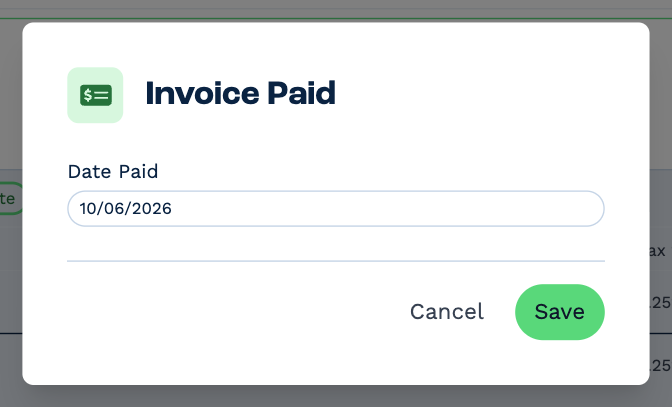
Click Save. The invoice shows as paid with its date, a note is added to the client, and automations that react to a paid invoice run.
- Ticking Paid on a quote turns it into an invoice as well.
- To mark many at once, select them on the Accounting page and use Bulk Actions → Mark as paid: one date for all of them.
- Untick Paid to mark it unpaid again. BaseCloud asks you to confirm.
Take payment online
Each quote and invoice has a payment link. The client opens it, sees what they owe, and pays by card. When the payment goes through, BaseCloud marks the invoice paid by itself and adds a note to the client.
To share it:
- Payment Link on the invoice in its client's Accounting tab copies the link — paste it into an email or a text.
- If your layout puts a Pay Now button on the PDF, the client can click that. It's only on unpaid documents.
Online payment needs a payment gateway — Paystack or Stripe — connected under Settings → App Connections and chosen for the layout set. See Online payments.
Reconcile
Once a payment shows in your bank, tick Recon on the invoice on the Accounting page. Untick it to take the mark off.
To reconcile many, select them and use Bulk Actions → Mark as reconciled. Only paid invoices are reconciled; the rest are skipped. Remove reconciled takes the mark off.
Filter the Accounting page by Reconciliation: Not reconciled to see what's still to match.
Void an invoice
Quotes and invoices are never deleted — you void them. A void document stays on the client and in the list, marked Void, and its PDF says Void/Credited.
Click the Void icon on the Accounting page, or Void on the document in its client's Accounting tab, and confirm with Void. To void many, select them and use Bulk Actions → Void, then type void to confirm. Bulk voiding skips paid invoices.
Voiding can't be undone
A void document can't be edited or brought back. If you voided the wrong one, duplicate it to make it again.