Send a message to everyone on a list
You have a list of people and one message to send each of them, and you want one summary at the end rather than a notification per person. That last part is what this example is really about: the Loop task has a second output that runs once, after everything else has finished.
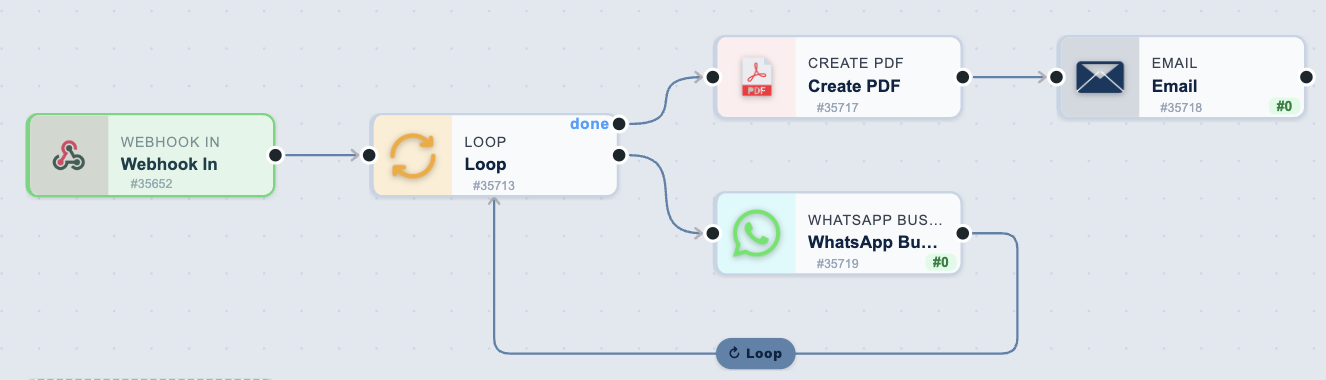
The workflow
| Order | Task | Purpose |
|---|---|---|
| 1 | Webhook In | Receives the list of contacts |
| 2 | Loop | Runs the tasks below it once per contact |
| 3 | WhatsApp Business | Sends the message to the current contact |
| 4 | Create PDF (done port) | Builds the summary, once the whole list is done |
| 5 | Email (done port) | Sends that summary |
1. Webhook In
Post the list to the trigger's URL as JSON:
{
  "contacts": [
    { "name": "Alice", "number": "+27825550111" },
    { "name": "Bob", "number": "+27825550112" }
  ]
}
Everything you post is available to the workflow, so the array is {{task_35652.JSON.contacts}}.
2. Loop
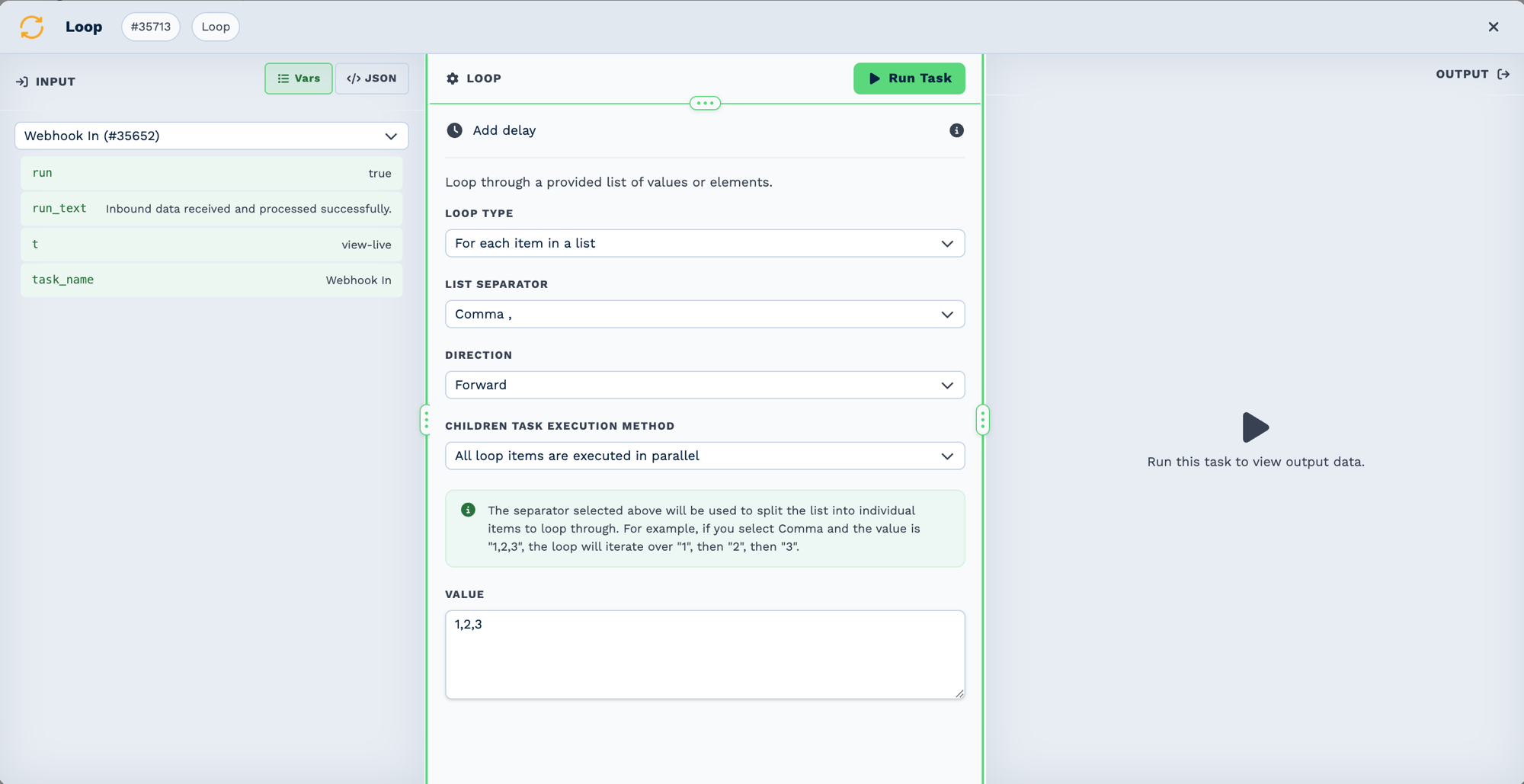
| Field | Set it to |
|---|---|
| Loop Type | For each item in a JSON array |
| Value | {{task_35652.JSON.contacts}} |
| Children Task Execution Method | Leave as it is |
The builder labels do not match the key names
Loop Type is action, Value is loop_array, List Separator is delimiter and
Children Task Execution Method is execution_type. Worth knowing when you read a task's
stored configuration.
The current contact is {{task_35713_loop_value}}. Because each item is an object, reach its
fields with the flattened form: {{task_35713_loop_value_number}} and
{{task_35713_loop_value_name}}.
List Separator and Direction are hidden unless they apply — List Separator only appears
for For each item in a list.
3. WhatsApp Business, once per contact
| Field | Set it to |
|---|---|
| Action | Send Template |
| Recipient | {{task_35713_loop_value_number}} |
| Template | An approved template |
Use a template for an unprompted message
Send Text (session only) works only inside the 24-hour window that a customer's own message
opens. You are messaging people who have not just written to you, so the window is closed and
a template is the only thing that will send.
4. The done port
The Loop task has two outputs. The lower one runs per item. The upper one, labelled done, runs once, after every iteration has finished — which is where the summary belongs.
| Field | Task | Set it to |
|---|---|---|
| Create PDF | Document Name | Send report |
| Body | A summary quoting {{task_35713_total_items}} and {{task_35713_iterations_completed}} |
The counts are only available on the done branch: total_items, iterations_completed,
iterations_errored and tasks_run. Per-item fields such as loop_value are not — the loop is
over, so there is no current item.
Iterations do not all run at once
A loop dispatches one iteration per pass, so a list of 200 takes a while to work through, and
the done branch waits for all of it. The Loop page explains the timing in
Parallel or one at a time — read it
before you loop over a long list.
Test it
- Post a list with two contacts, both your own numbers.
- Watch both messages arrive, a few seconds apart rather than together.
- Confirm the
donebranch runs once, after the second message — not twice, and not first. - Check the summary counts match the list you sent.
- Only then post the real list.
What can go wrong
| Symptom | Cause |
|---|---|
The done branch never runs |
Something in the body has not finished. A delay inside the loop holds done open for exactly that long. |
loop_value is empty on the done branch |
Expected. The loop is finished, so there is no current item — use the counts instead. |
| Only the first contact is messaged | Loop Type is not For each item in a JSON array, so the array was read as a single value. |
Messages fail with No open 24-hour session |
Action is Send Text (session only). Use a template. |
| The summary says 0 items | The Value field did not resolve — check {{task_35652.JSON.contacts}} against what you posted. |