Calendar
The calendar opens over whatever page you're on: click the calendar icon in the top bar. It shows your own meetings, and — if you have the right — your colleagues', side by side.
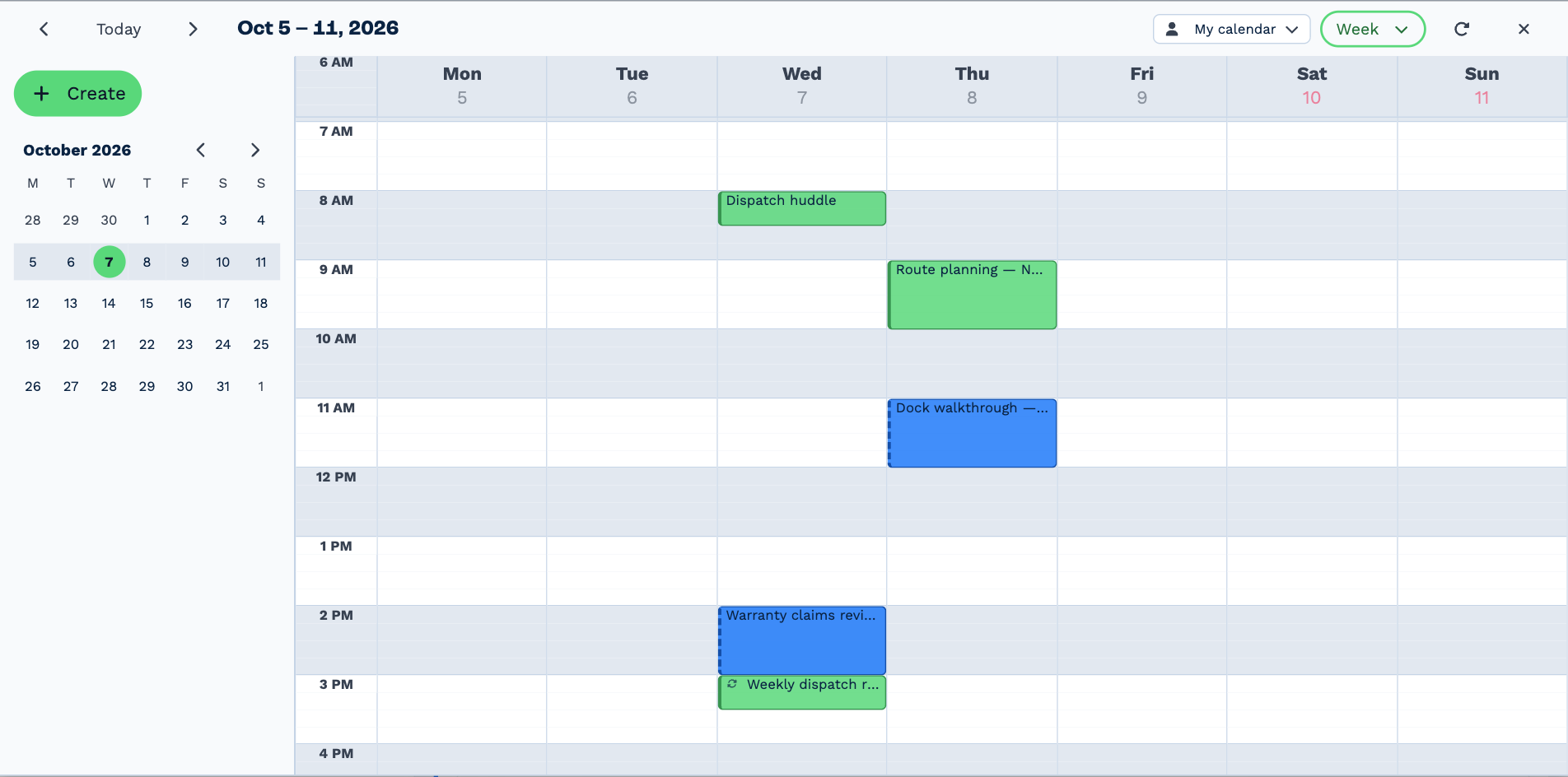
-
Find your way around
Day, week and month views, and other people's calendars.
-
Book a meeting
Invite people, check when they're free, add an online meeting, and repeat it.
-
Change or cancel a meeting
Edit it, drag it to a new time, or delete one occurrence or a whole series.
-
Answer invitations
Accept, decline or say maybe — and handle a new time someone proposes.
-
Sync with Outlook or Google
Connect your mailbox and your calendar comes with it, both ways.
Who can do what
Everyone can use their own calendar. Seeing and changing other people's calendars needs See and edit other people's calendars, which is on unless an administrator has turned it off for you or your team. Without it, the people picker isn't shown and you see only your own calendar. See Why can't I see something?
Reminders
BaseCloud reminds you ten minutes before a meeting starts, if you have Upcoming meetings notifications on. See Notifications.
Automations
A workflow can book, move and cancel meetings, and find times people are free. It can also start before or after a meeting, or when one is booked, moved or canceled — to send a reminder text, say. See the Calendar task and the Calendar Trigger.