Unmatched emails and calls
When an email, call or chat comes in and BaseCloud can't tell which client it's about — usually someone writing for the first time — it lands in your Inbox on its own, as No Client.
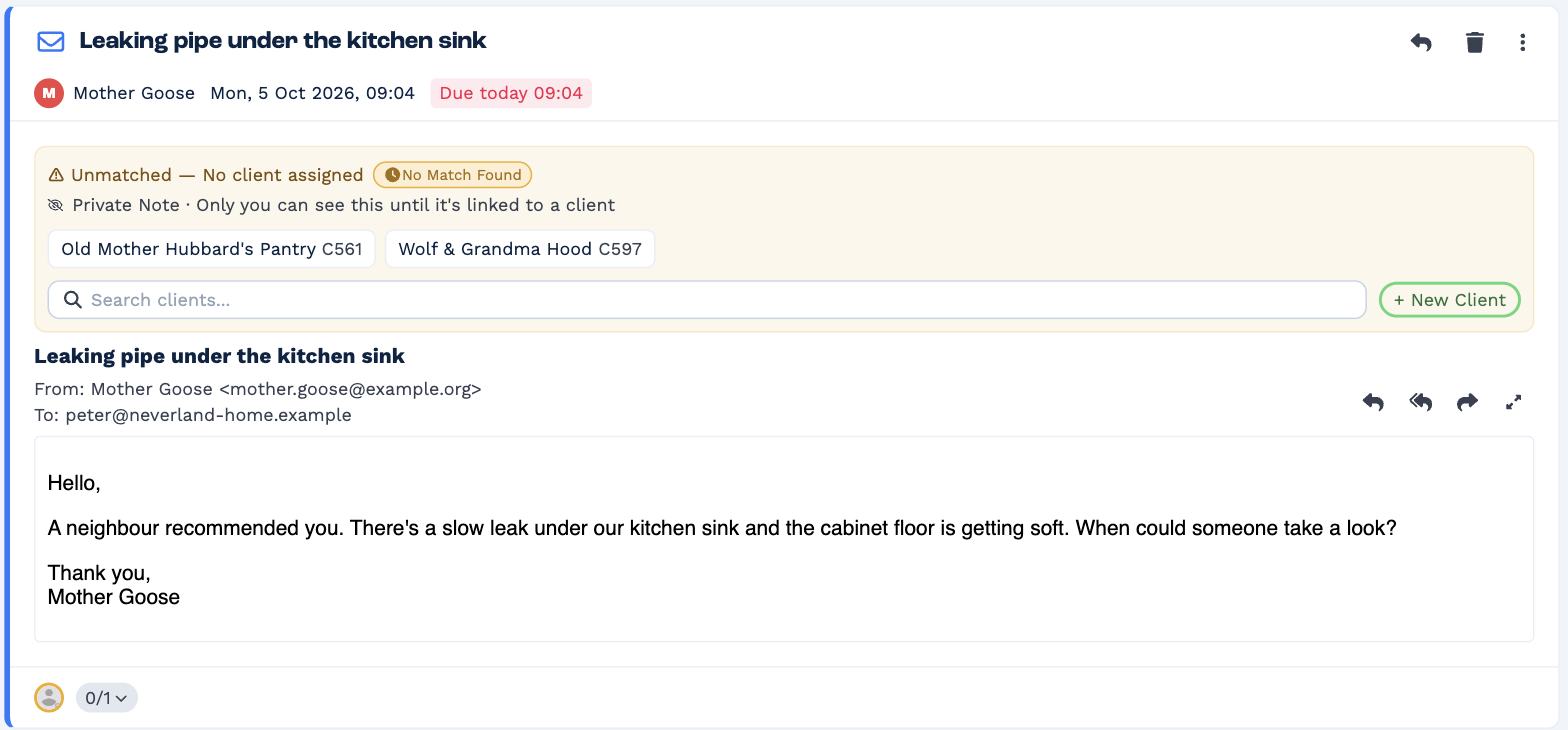
Until it's linked to a client:
- only you can see it — Private Note · Only you can see this until it's linked to a client
- you can't reply to it or mark it done
Link it to a client
Do one of these:
- Click a suggested client under the message.
- Search for the client in Search clients....
- Click + New Client to create one. The sender's details are filled in for you.
Then choose Sensitive or Normal. The item moves to that client and works like any other.
BaseCloud then offers to Add the sender as a contact, so their next email goes straight to the right client.
Delete it instead
If it's spam or not for your business, click the bin on the item. You can restore it from the Done tab if you change your mind.