Sensitive notes
A sensitive note can only be read by the person who wrote it and the people it's assigned to. Everyone else can see that the note exists, but not what it says.
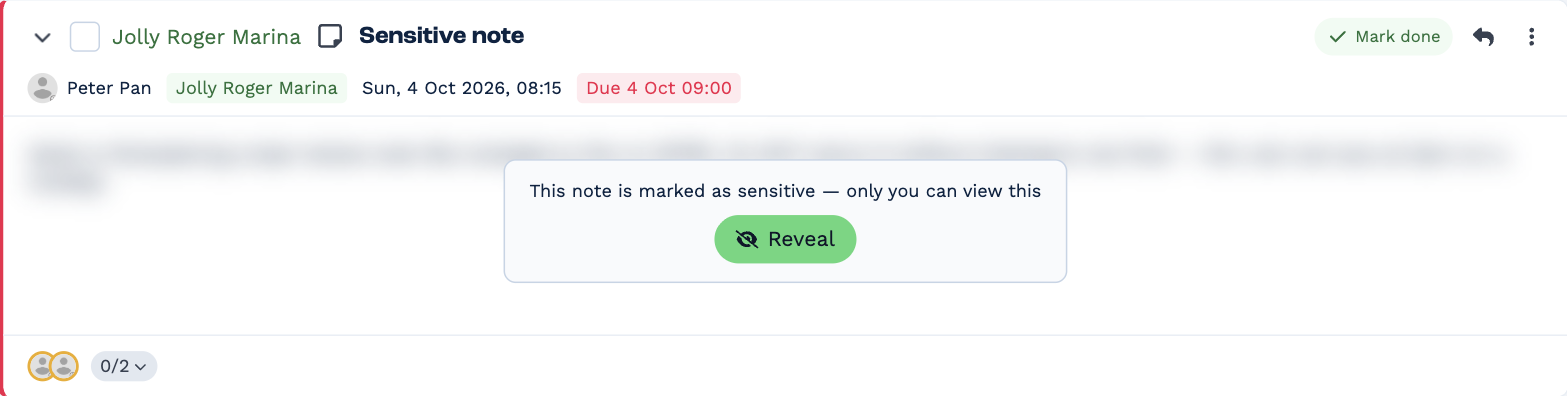
Even for you, a sensitive note is blurred until you click Reveal — so it isn't read over your shoulder. Until then its heading reads Sensitive note (or Sensitive email), and so does its row in the Inbox list.
Make a note sensitive
- New note — switch on Sensitive in the note editor before you send.
- Existing note — click ⋮ More actions → Mark sensitive. Remove sensitive turns it off.
Marking an email note sensitive makes the email itself sensitive too.
Emails that arrive sensitive
An incoming email is marked sensitive automatically when:
- one of your email rules has Mark as sensitive ticked
- the client's last email was sensitive, or an earlier email in the same conversation was
- your Default sensitivity is Always sensitive
- your Default sensitivity is Let AI decide, and the AI judges it sensitive
Set how your email is treated
Open Settings → Users → your name → Email Rules. Under AI Sensitivity, choose a Default sensitivity:
- Defined by rules — only your email rules decide. This is the default.
- Always sensitive — every email you receive is sensitive.
- Let AI decide — BaseCloud's AI reads each email. Describe what sensitive means for you, such as "anything about salaries or medical matters".