Chat Thread Task
Overview
The Chat Thread task retrieves the full historical message thread for a contact on a chat channel (WhatsApp or SMS). It reads the live chat_threads/chat_messages data directly — the same conversation your agents see in the CRM — and returns each message with who sent it and when, oldest → newest, plus a ready-to-use transcript.
Unlike a store you have to fill yourself, Chat Thread keeps no data of its own: it always reflects the real conversation as it stands right now.
When to use this task:
- Give an AI Prompt task the conversation so far (drop the transcript into the prompt, or wire Chat Thread into the AI task's memory port).
- Include a contact's recent chat history in an email, note, or webhook payload.
- Branch on how many messages a contact has sent, or on the last message.
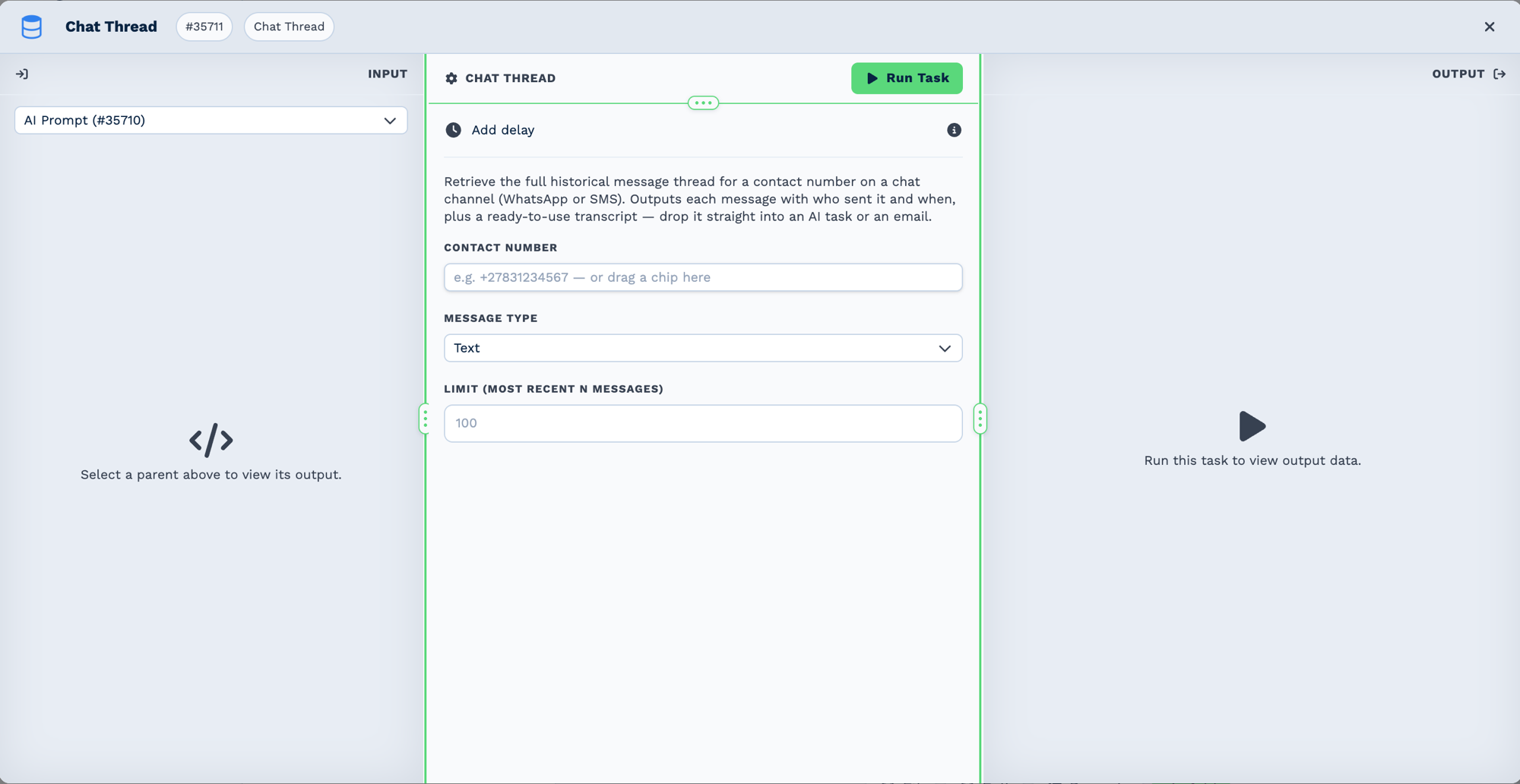
Inputs
Builder fields
The Field column is the label as it appears in the task builder; Key is the name the value is stored under and referenced by.
| Field | Key | Type | Default | Notes |
|---|---|---|---|---|
| Contact Number | contact_number |
text | – | |
| Message Type | channel_type |
select | sms |
Options: Text · WhatsApp |
| Limit (most recent N messages) | limit |
number | 100 |
| Field | Description |
|---|---|
| Contact Number | The contact's phone number. Any common format works (+27831234567, 27831234567, 0…). Drag a chip (e.g. a trigger's sender number). |
| Message Type | The channel to read: SMS (default) or WhatsApp. |
| Limit | How many of the most recent messages to load (default 100). |
Message Type defaults to SMS. If you never touch the dropdown, the task reads the SMS thread.
Outputs
| Field | Description |
|---|---|
{{task_ID_transcript}} |
Pre-rendered Name (Role): text transcript, oldest → newest — drop straight into a prompt or email. |
{{task_ID_entries}} |
Array of { direction, sender_type, from, content, message_type, template_name, status, sent_at }, oldest first. |
{{task_ID_count}} |
Number of messages returned. |
{{task_ID_contact_number}}, {{task_ID_channel_type}} |
Echo of the resolved inputs. |
sender_type is one of:
contact— inbound, from the remote party (name resolved from the contact record or WhatsApp profile).agent— outbound, sent by a CRM user.system— outbound, sent by the automation/system user.
Chat memory for AI tasks
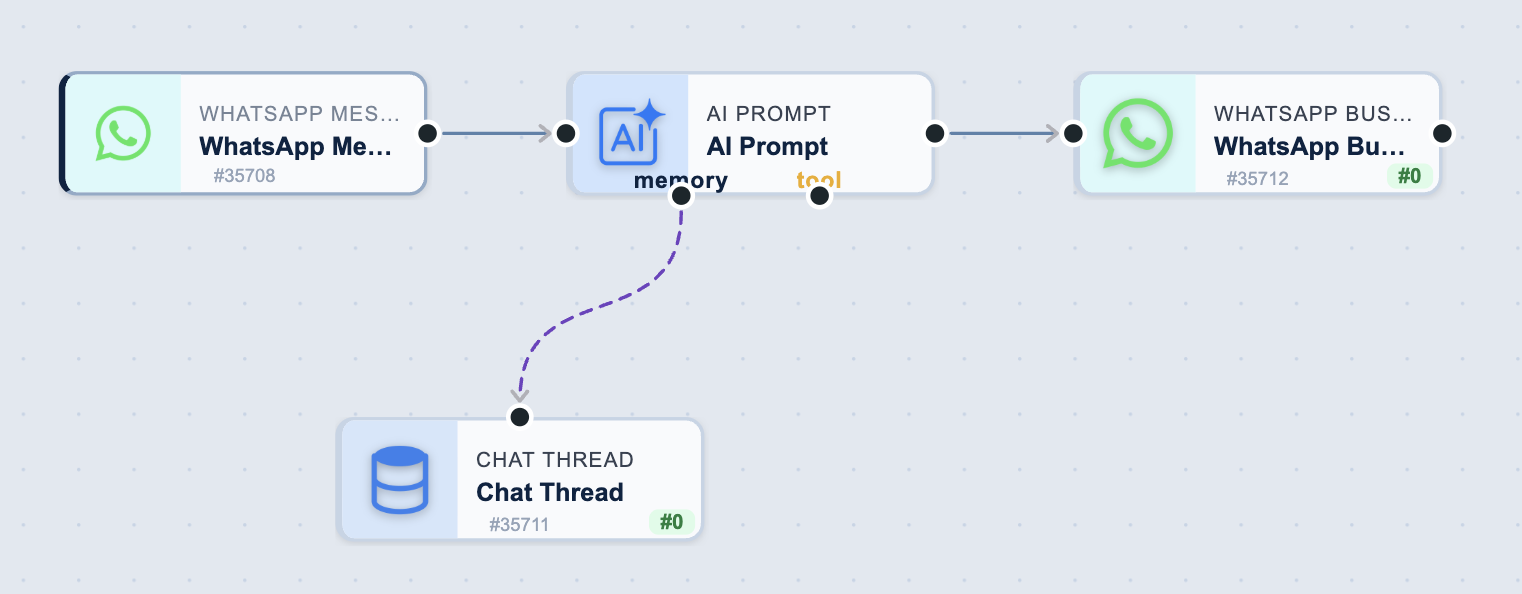
The Chat Thread node is not a step in the chain. It hangs off the AI Prompt's memory port, so it is read when the AI task runs rather than executed in sequence. The tool port works the same way for read-only tasks the AI can draw on. Everything on the main line runs in order; anything on a memory or tool port is consulted.
Connect a Chat Thread node to an AI Prompt task's memory port (the dashed purple handle at the bottom of the AI node) and the AI automatically loads this history as context each run. Inbound messages become the user turns, outbound the assistant turns. It is read-only — the chat channel already persists every message, so nothing is written back. See AI Prompt → Chat Memory.
Test mode
Chat Thread is read-only, so it behaves identically in test and live runs — testing shows the real thread without side effects.
Troubleshooting
No messages returned
- Confirm the Contact Number matches how the thread's remote party is stored. The task tries common variants (
+prefix, bare digits), but a very different format won't match. - Confirm the Message Type matches the channel the conversation actually happened on (a contact may have an SMS thread but no WhatsApp thread).
Related tasks
- AI Prompt — has built-in Chat Memory powered by this task.
- SMS / WhatsApp Business — send the reply that continues the thread.