Six-month check-up recall
Recalls are the steadiest source of appointments a practice has. This workflow invites the patient, then checks the calendar a week later, so reception only phones the people who have not booked.

Before you start
- A date custom field on the patient holding the next check-up date
The workflow
| Step | Task | Type | What it does |
|---|---|---|---|
| 1 | Check-up due | Date Trigger | Starts two weeks before the check-up is due |
| 2 | Recall text | SMS | Texts the invitation to book |
| 3 | Wait a week | Delay | Waits a week |
| 4 | Booked already? | Calendar | Counts the patient’s upcoming appointments |
| 5 | Nothing booked? | If Statement | Continues only when nothing is booked |
| 6 | Phone patient | Workflow Note | Asks reception to phone the patient |
About the variables
Values such as {{task_36370_…}} carry the number of the task they come from, so yours will
differ. Do not type them: click into a field and pick the value from an earlier task.
1. Check-up due
Task: Date Trigger. Starts two weeks before the check-up is due.
| Field | Set it to |
|---|---|
| Date Field | Your date field |
| Interval | 14 |
| Unit | Days |
| Time of Day (UTC) | 14:00 UTC |
2. Recall text
Task: SMS. Texts the invitation to book.
| Field | Set it to |
|---|---|
| Client | {{task_36370_client_id}} |
| To (phone number) | {{all_contacts}} |
Message
Hi {{task_36370_first_name}}, it is time for your six-month check-up at Neverland Dental. Reply with a day that suits you and we will book you in.
3. Wait a week
Task: Delay. Waits a week.
| Field | Set it to |
|---|---|
| Delay Type | Specified Time |
| Weeks | 1 |
4. Booked already?
Task: Calendar. Counts the patient’s upcoming appointments.
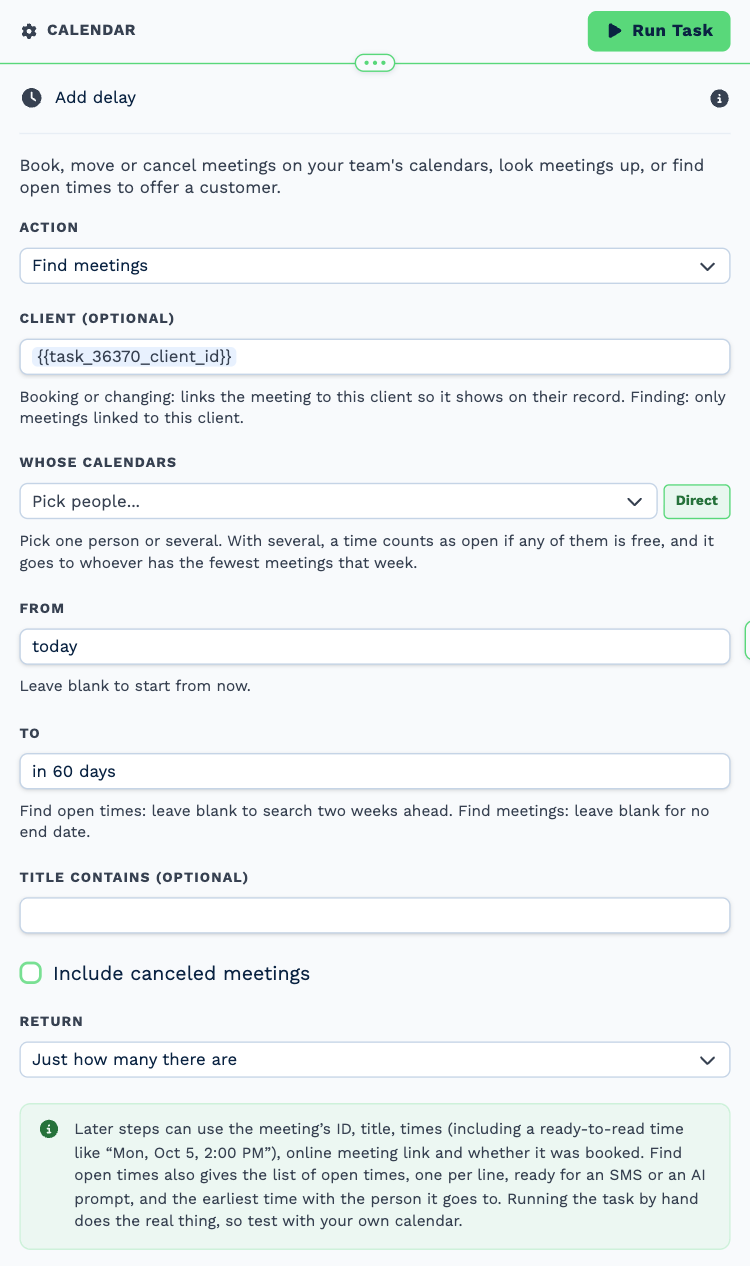
| Field | Set it to |
|---|---|
| Action | Find meetings |
| Client (optional) | {{task_36370_client_id}} |
| From | today |
| To | in 60 days |
| Return | Just how many there are |
5. Nothing booked?
Task: If Statement. Continues only when nothing is booked.
| Field | Set it to |
|---|---|
| Condition | {{task_36373_count}} equals 0 |
6. Phone patient
Task: Workflow Note. Asks reception to phone the patient.
| Field | Set it to |
|---|---|
| Action | Create Note |
| Client ID | {{task_36370_client_id}} |
| Note Type | Note |
| Priority | Medium |
| Due Date | Now |
| Tag Users | Tiger Lily |
| Message | **Check-up recall.** A text went out a week ago and nothing is booked. Please phone the patient to book. |
Make it yours
- Add an Edit a Client task after a booking to move the check-up date six months on.
- Change the wording for hygienist visits, vaccinations or annual check-ups.