Annual review invitations
Annual reviews are where advice clients are kept or lost, and booking them is pure admin. Two weeks before each client’s review date, this workflow looks at the adviser’s real calendar and emails the client a short list of times that are actually free.

Before you start
- A date custom field on the client holding the review date
- Advisers with a connected calendar and working hours set
The workflow
| Step | Task | Type | What it does |
|---|---|---|---|
| 1 | Review in 14d | Date Trigger | Starts for each client 14 days before their review date |
| 2 | Load the client | Match to Client(s) | Loads the client to find their responsible manager |
| 3 | Find open times | Calendar | Finds open times in that manager’s calendar over the next two weeks |
| 4 | Invite client | Emails the client the open times | |
| 5 | Adviser prep | Workflow Note | Reminds the adviser to prepare |
About the variables
Values such as {{task_36345_…}} carry the number of the task they come from, so yours will
differ. Do not type them: click into a field and pick the value from an earlier task.
1. Review in 14d
Task: Date Trigger. Starts for each client 14 days before their review date.
| Field | Set it to |
|---|---|
| Date Field | Your date field |
| Interval | 14 |
| Unit | Days |
| Time of Day (UTC) | 14:00 UTC |
2. Load the client
Task: Match to Client(s). Loads the client to find their responsible manager.
| Field | Set it to |
|---|---|
| Action | Match to Client |
| Find the client by | Client ID = {{task_36345_client_id}} |
3. Find open times
Task: Calendar. Finds open times in that manager’s calendar over the next two weeks.
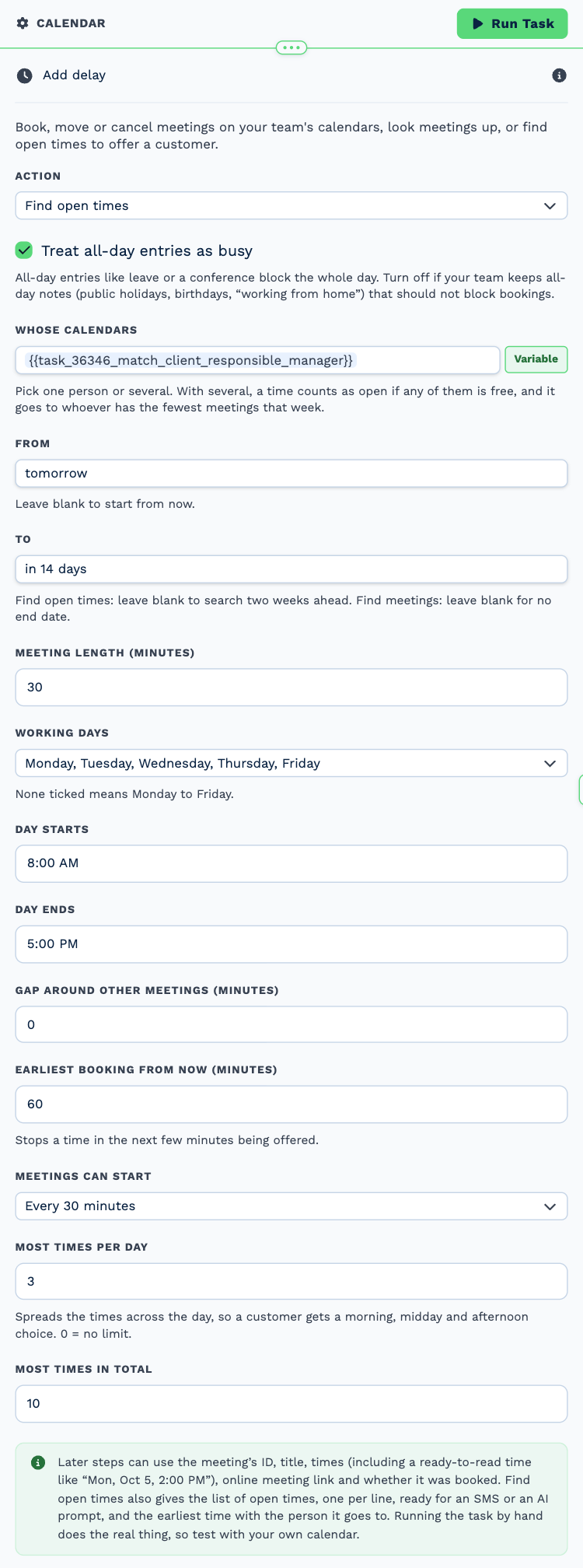
| Field | Set it to |
|---|---|
| Action | Find open times |
| Whose calendars | {{task_36346_match_client_responsible_manager}} |
| From | tomorrow |
| To | in 14 days |
4. Invite client
Task: Email. Emails the client the open times.
| Field | Set it to |
|---|---|
| Outgoing Email User | Wendy Darling |
| Client | {{task_36345_client_id}} |
| To | {{all_contacts}} |
| Subject | Time for your annual review |
Body
Hi {{task_36345_first_name}},
It is time for your annual review. It takes about 45 minutes and covers your goals, your cover and anything that changed this year.
Times that are open:
{{task_36347_slots_text}}
Reply with the one that suits you and we will send a calendar invitation.
Kind regards,
The Neverland team
5. Adviser prep
Task: Workflow Note. Reminds the adviser to prepare.
| Field | Set it to |
|---|---|
| Action | Create Note |
| Client ID | {{task_36345_client_id}} |
| Note Type | Note |
| Priority | Medium |
| Due Date | In One Week (8AM) |
| Tag Users | {{task_36346_match_client_responsible_manager}} |
| Message | **Annual review invitation sent.** Prepare the portfolio summary and last year’s notes before the meeting. |
Make it yours
- Shorten or lengthen the window in Find open times.
- Follow up with a second workflow on the Calendar Trigger to send a reminder the day before.