Track signatures
Who can do this
Anyone with Files Access who can see the client.
A document you've sent for signature shows a badge under its name on the client's Files tab. Click the badge to see how far it's got.
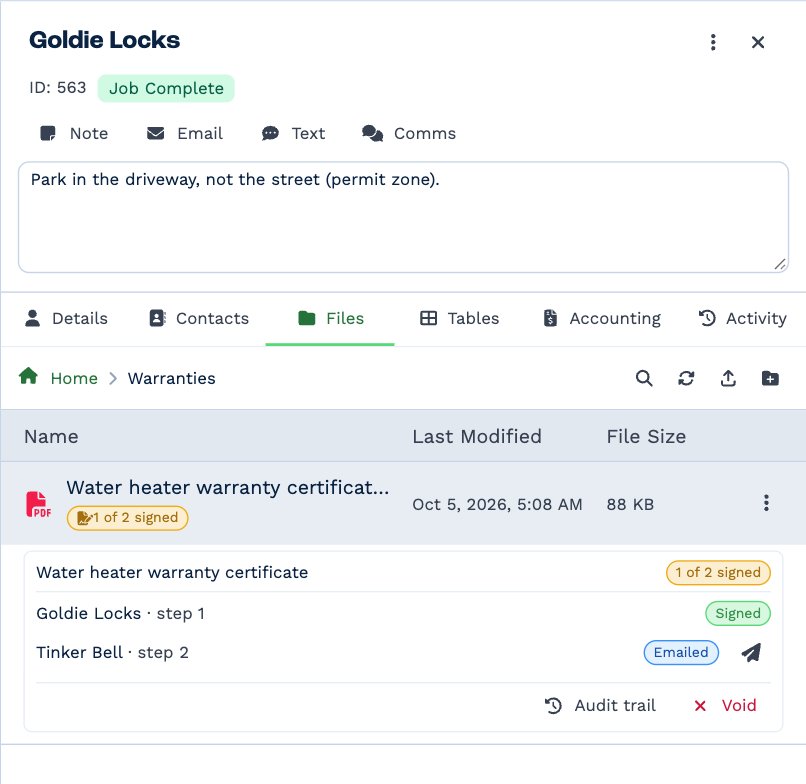
What the badge means
| Badge | Means |
|---|---|
| Awaiting signature | Sent; nobody has signed yet. |
| 1 of 2 signed | Some have signed; the rest are still to come. |
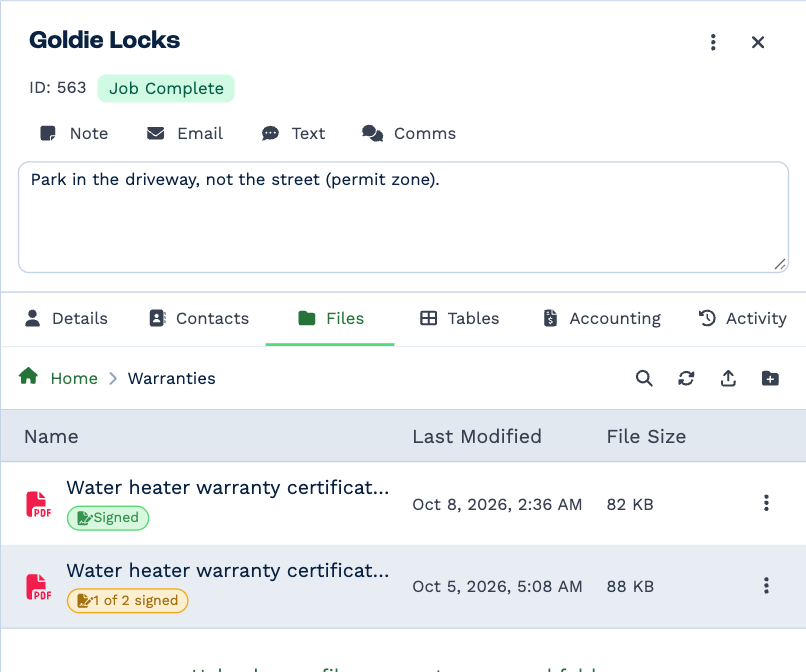
| Signed | Everyone has signed. This is the signed copy. |
| Declined | A signer declined. The request has ended. |
| Expired | Time ran out before everyone signed. |
| Voided | You cancelled the request. |
And each signer:
| Status | Means |
|---|---|
| Not yet sent | It isn't their turn yet. |
| Emailed | They've been sent the link. |
| Opened | They've opened the link. |
| Consented | They've agreed to sign electronically and are reading the document. |
| Signed | Done. |
| Declined | They said no. |
Send the link again
Click the paper plane beside a signer to email a fresh signing link. The old link stops working — so if the first email went to the wrong person, sending again puts that right.
Read the audit trail
Click Audit trail for everything that has happened to the request, newest first: when it was sent, when each signer opened it, verified their code, agreed and signed, and from which internet address.
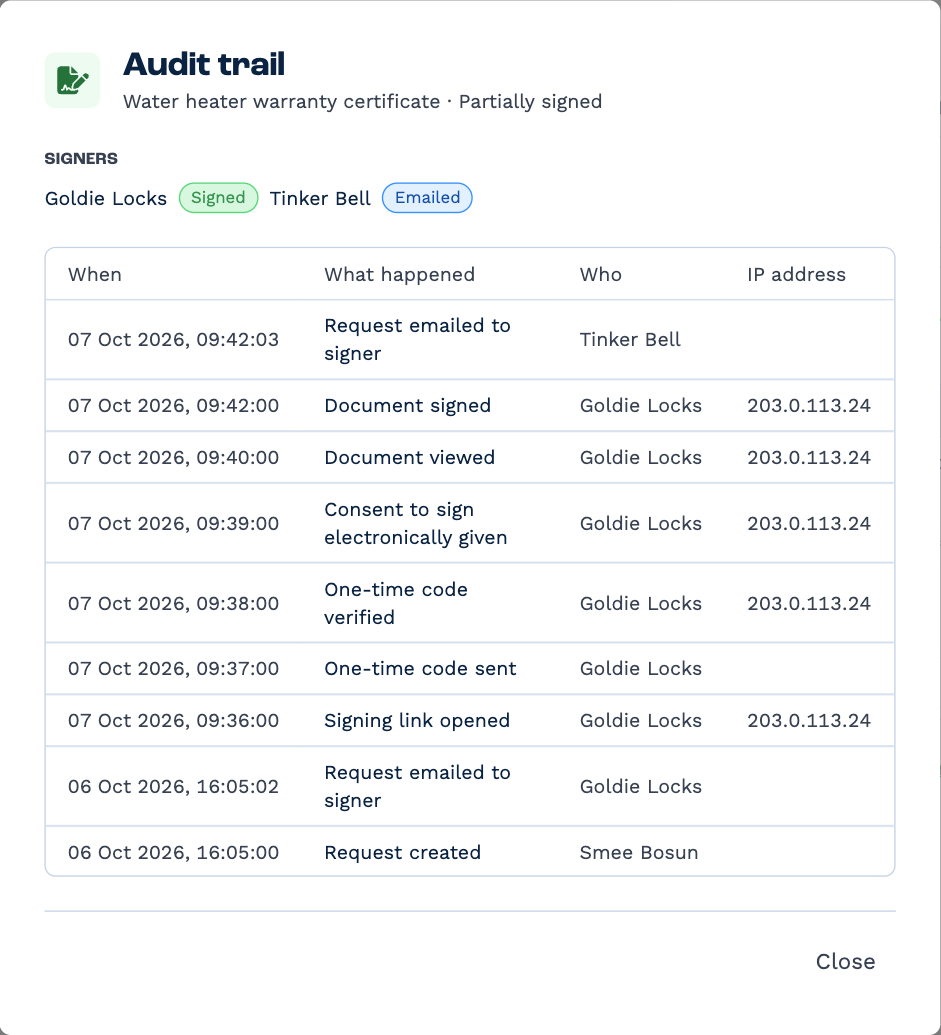
Nothing in it can be changed or removed.
Void a request
To cancel a request that's still out — the wrong document, a deal that fell through — click Void, type void to
confirm, and click Void request. The signing links stop working, and the document can be sent again.
A request is voided, never deleted, so its audit trail stays.
When everyone has signed
-
The signed copy takes the document's place in the client's files, marked Signed.
-
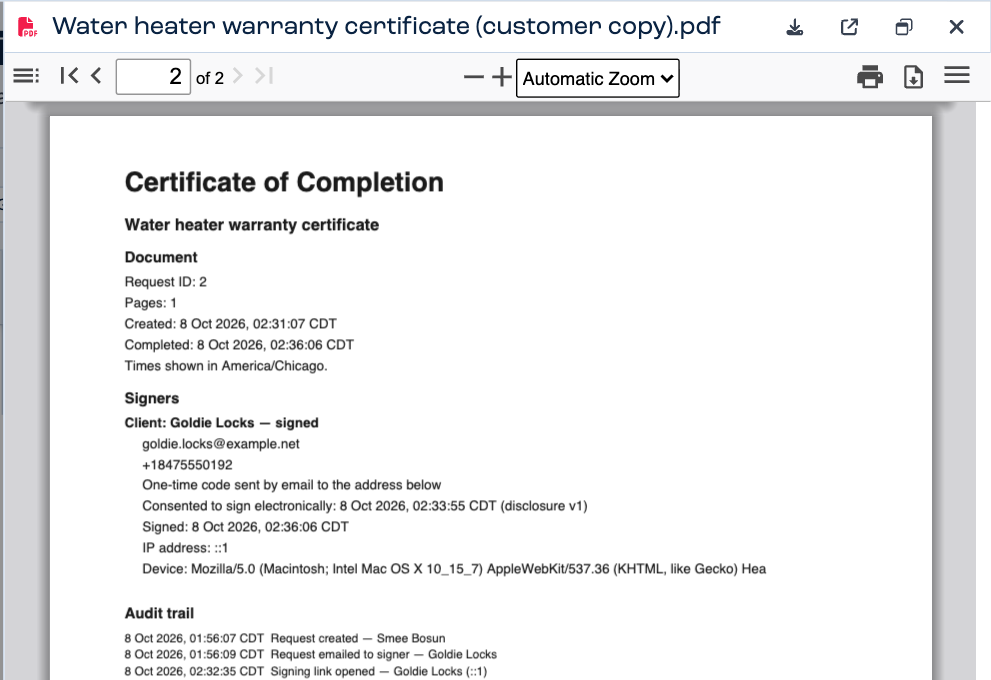
Its last page is a completion certificate: who signed, how each proved who they were, when, and the full audit trail.
-
You get a note in your Inbox saying it's done, with the signed copy attached.
- Every signer is emailed a copy.
- The unsigned original is kept. Click the badge and choose Original to see it.
A signed copy can only be deleted by typing delete to confirm, and even then the record of who signed is kept. See
Delete a file.