Verify your domain
Who can do this
Anyone with CRM Access. It's done once per domain, usually by whoever manages your company's website or DNS.
When BaseCloud sends email for you, inboxes check that your company allowed it to. Verifying your domain — say, neverland-home.example — adds that permission to your DNS. Without it, email from your addresses would be treated as spoofed, so BaseCloud won't send it: those addresses show as Not usable yet until the domain is verified or their mailbox is connected.
Add your domain
- Open Settings → Domain Verification and click Add Domain.
- Type the domain on its own — no
http://,https://orwww.— and click Add Domain. - Click the domain in the list to see its records.
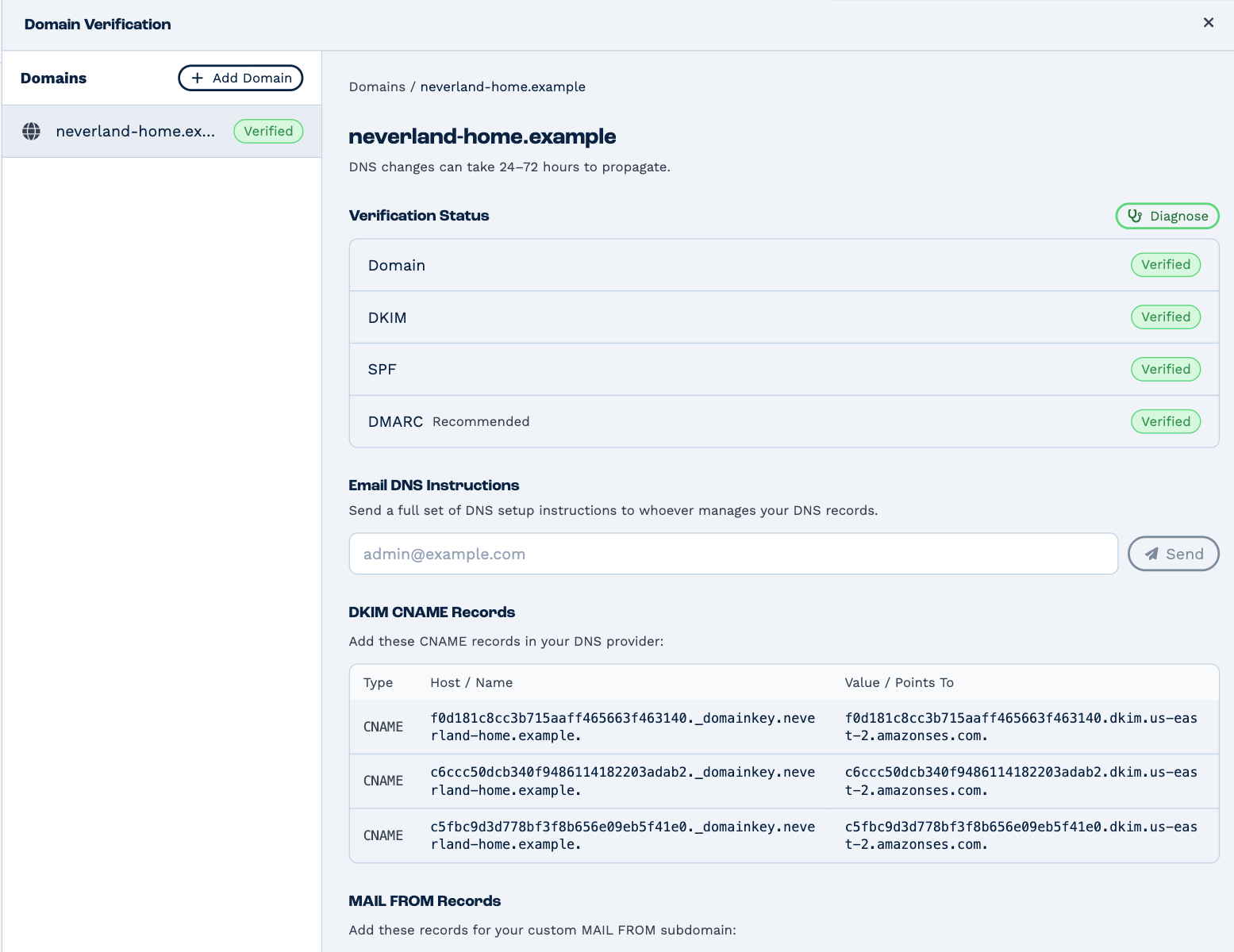
Add the DNS records
Add every record shown to your domain's DNS, where your domain is managed:
- DKIM CNAME Records — three CNAME records that let inboxes check your email's signature.
- MAIL FROM Records — an MX and a TXT record on a subdomain BaseCloud sends from.
- DMARC Record (recommended) — tells inboxes what to do with email that fails the checks. Gmail, Yahoo and Microsoft expect it from domains that send a lot of email. The value BaseCloud suggests only monitors, so it won't block any email.
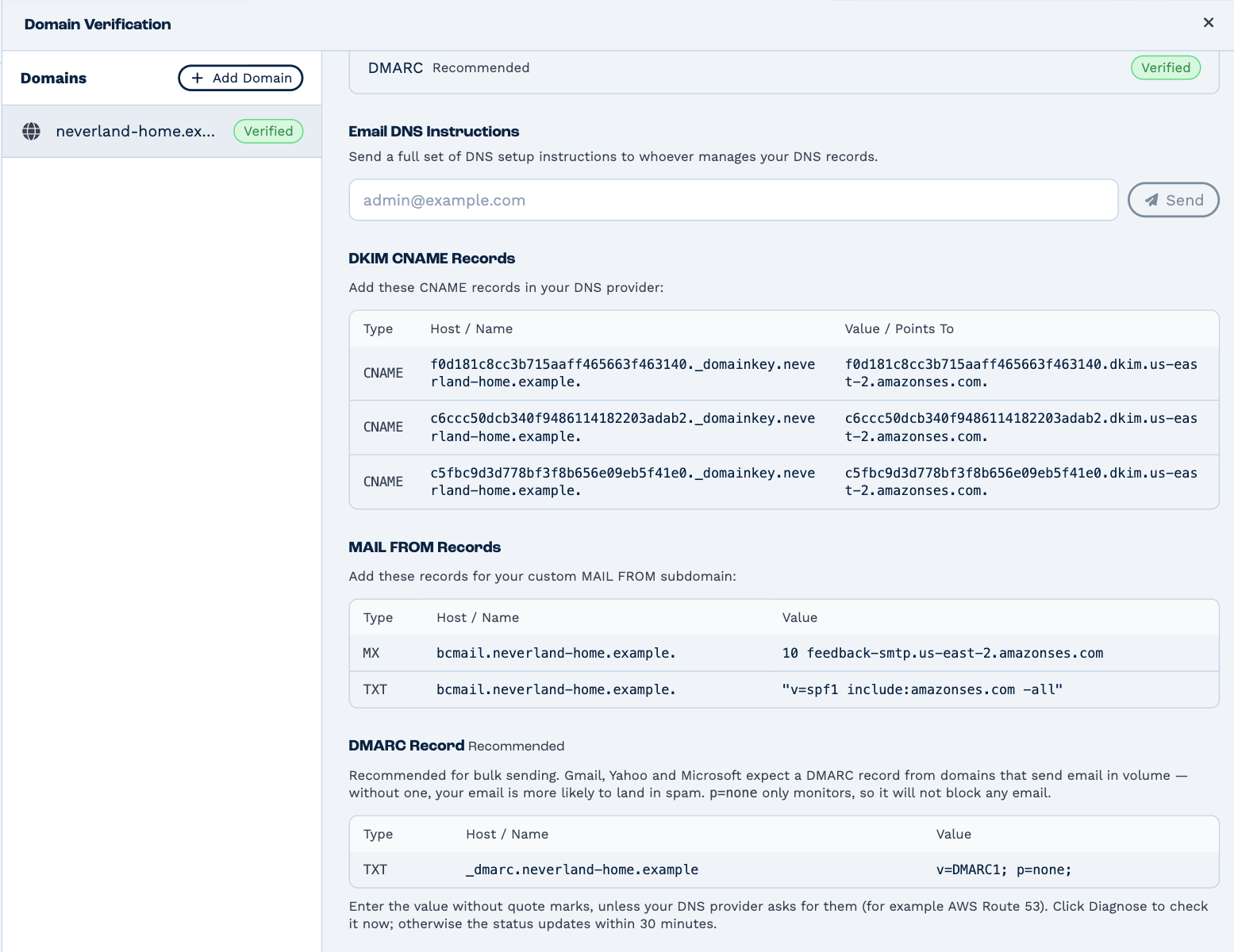
Enter each value without quote marks, unless your DNS provider asks for them (AWS Route 53 does).
Someone else manages your DNS
Type their email address under Email DNS Instructions and click Send. They get the full set of records and how to add them.
Check it's working
Verification Status shows where each part stands:
| Status | Means |
|---|---|
| Verified | The record is in place and correct. |
| Pending | BaseCloud hasn't found it yet. |
| At risk | DMARC only: BaseCloud found no working DMARC record, so your email is more likely to land in spam. |
| Not checked yet | DMARC only: it hasn't been looked at yet. |
The status updates on its own within 30 minutes. Click Diagnose to check now; it updates the status and explains anything that's wrong. DNS changes can take 24–72 hours to reach everywhere, so a record you've only just added may show Pending for a while.
Once the domain is verified, every address at it becomes ready to send.