Shared mailboxes
A team can have a shared address, such as office@. Email sent to it lands in the Inbox of everyone in the team, so whoever is free can pick it up.
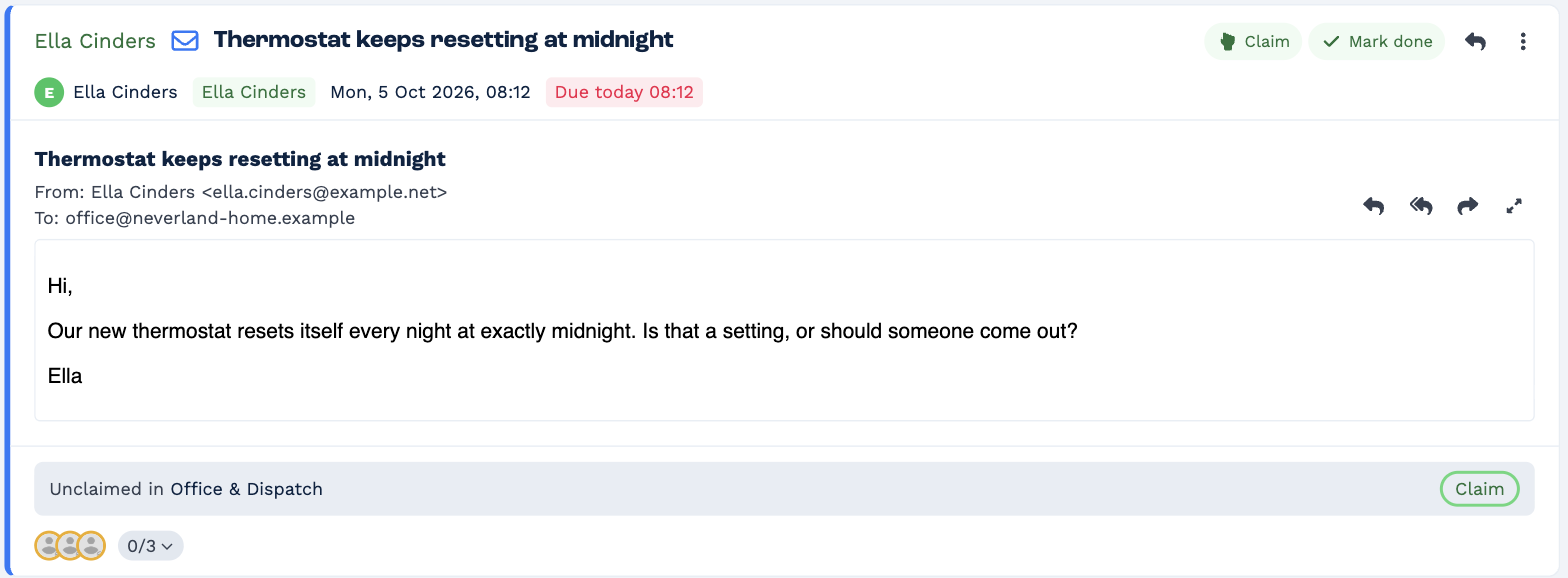
Claim an email
Click Claim on the email. It stays in your Inbox and leaves everyone else's, and the banner changes to Claimed by you from the team.
- Replying to an unclaimed email claims it for you automatically.
- If a colleague claims it first, you'll see who — for example, Wendy Darling claimed this first.
- You can only claim email for teams you belong to.
Who gets the next email
Not every email goes to the whole team. BaseCloud works out who should get it, in this order:
- The person the client is replying to. If you emailed the client from BaseCloud and they reply to that email, the reply comes to you.
- Whoever already has the conversation. A new email in a conversation goes to the people who received the earlier ones.
- An email rule, if your administrator has set one up for the team.
- The client's responsible manager, when the email is matched to a client and they're in the team. A responsible manager outside the team doesn't get the team's email.
- Everyone in the team, when none of the above applies.
Taking over a conversation from a colleague
Email the client from BaseCloud. Their replies to your email then come to you. If the client replies to an older email instead, it still goes to whoever had the conversation before.
Your administrator sets up teams and their shared addresses.