Call summaries on the client
Nobody writes up a phone call as well as they mean to. This workflow turns every real conversation into three bullet points and a list of next steps, filed on the client.

Before you start
- BaseCloud telephony with call recording
- Credit for the Speech to Text and AI Prompt tasks
The workflow
| Step | Task | Type | What it does |
|---|---|---|---|
| 1 | A call ends | Call Connect Trigger | Starts whenever a call finishes |
| 2 | Over a minute? | If Statement | Continues only for calls longer than a minute |
| 3 | Find the client | Match to Client(s) | Finds the client by the other party’s number |
| 4 | Transcribe | Speech to Text | Turns the recording into text |
| 5 | Summarise | AI Prompt | Summarises the conversation and lists next steps |
| 6 | File on client | Workflow Note | Files the summary on the client, marked done |
About the variables
Values such as {{task_36407_…}} carry the number of the task they come from, so yours will
differ. Do not type them: click into a field and pick the value from an earlier task.
1. A call ends
Task: Call Connect Trigger. Starts whenever a call finishes.
This task has no settings to fill in.
2. Over a minute?
Task: If Statement. Continues only for calls longer than a minute.
| Field | Set it to |
|---|---|
| Condition | {{task_36407_talk_duration}} is greater than 60 |
3. Find the client
Task: Match to Client(s). Finds the client by the other party’s number.
| Field | Set it to |
|---|---|
| Action | Match to Client |
| Find the client by | Contact cell number = {{task_36407_leg_b_number}} |
4. Transcribe
Task: Speech to Text. Turns the recording into text.
| Field | Set it to |
|---|---|
| Audio URL | {{task_36407_recording_url}} |
5. Summarise
Task: AI Prompt. Summarises the conversation and lists next steps.
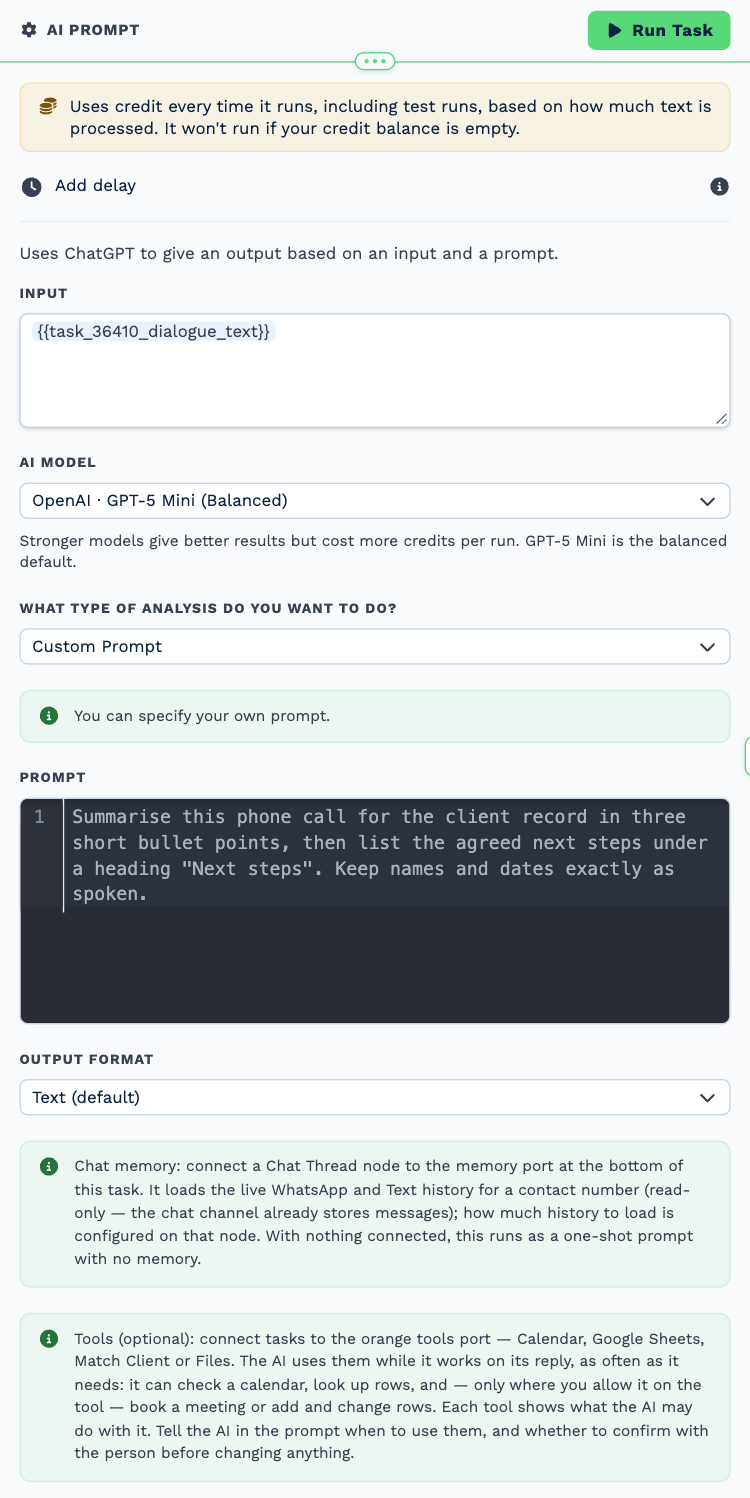
| Field | Set it to |
|---|---|
| Input | {{task_36410_dialogue_text}} |
| AI model | OpenAI · GPT-5 Mini (Balanced) |
| What type of analysis do you want to do? | Custom Prompt |
| Output Format | Text (default) |
Prompt
Summarise this phone call for the client record in three short bullet points, then list the agreed next steps under a heading "Next steps". Keep names and dates exactly as spoken.
6. File on client
Task: Workflow Note. Files the summary on the client, marked done.
| Field | Set it to |
|---|---|
| Action | Create Note |
| Client ID | {{task_36409_match_client_id}} |
| Note Type | Note |
| Priority | Low |
| Due Date | Now |
| Tag Users | {{task_36409_match_client_responsible_manager}} |
| Mark above users as | Done |
Message
Call summary
{{task_36411_output}}
Recording: {{task_36407_recording_url}}
Make it yours
- Raise or lower the minimum length in Over a minute?.
- Change the prompt in Summarise to pull out what matters in your business.