Loan application intake
An application that sits in a shared mailbox is an applicant talking to a competitor. This workflow creates the client the moment the form is submitted, gives each new application to the next adviser in turn, and tells the applicant exactly which documents to gather.

Before you start
- A website application form that posts to BaseCloud
- The advisers who share new applications
The workflow
| Step | Task | Type | What it does |
|---|---|---|---|
| 1 | Application | Website Form | Starts when the application form is submitted |
| 2 | Create client | Create New client | Creates the client and contact, or reuses the client if the email address is already known |
| 3 | Next adviser | Round Robin Select | Picks the next adviser from the list, in turn |
| 4 | Assign adviser | Edit a Client | Makes that adviser the client’s responsible manager |
| 5 | Send checklist | Emails the applicant the document checklist | |
| 6 | Brief adviser | Workflow Note | Briefs the chosen adviser, with the amount and purpose from the form |
About the variables
Values such as {{task_36413_…}} carry the number of the task they come from, so yours will
differ. Do not type them: click into a field and pick the value from an earlier task.
1. Application
Task: Website Form. Starts when the application form is submitted.
This task has no settings to fill in.
2. Create client
Task: Create New client. Creates the client and contact, or reuses the client if the email address is already known.
| Field | Set it to |
|---|---|
| Match Before Creating | Contact email = {{task_36413_email}} |
| Client Status | New Lead |
| Responsible Manager | Wendy Darling |
| Client Name | {{task_36413_name}} |
| Contact First Name | {{task_36413_name}} |
| Contact Email | {{task_36413_email}} |
| Contact Cell Number | {{task_36413_phone}} |
3. Next adviser
Task: Round Robin Select. Picks the next adviser from the list, in turn.
| Field | Set it to |
|---|---|
| List | Tinker Bell, John Darling, Tiger Lily |
4. Assign adviser
Task: Edit a Client. Makes that adviser the client’s responsible manager.
| Field | Set it to |
|---|---|
| Client | {{task_36414_match_client_id}} |
| Responsible Manager | {{task_36415_response}} |
5. Send checklist
Task: Email. Emails the applicant the document checklist.
| Field | Set it to |
|---|---|
| Outgoing Email User | Wendy Darling |
| Client | {{task_36414_match_client_id}} |
| To | {{task_36413_email}} |
| Subject | Your application: what we need next |
Body
Hi {{task_36413_name}},
Thank you for your application. An adviser will call you within one working day.
To speed things up, please have ready:
- Proof of identity
- Your last three months of bank statements
- Your latest payslip or financial statements
Kind regards,
The Neverland team
6. Brief adviser
Task: Workflow Note. Briefs the chosen adviser, with the amount and purpose from the form.
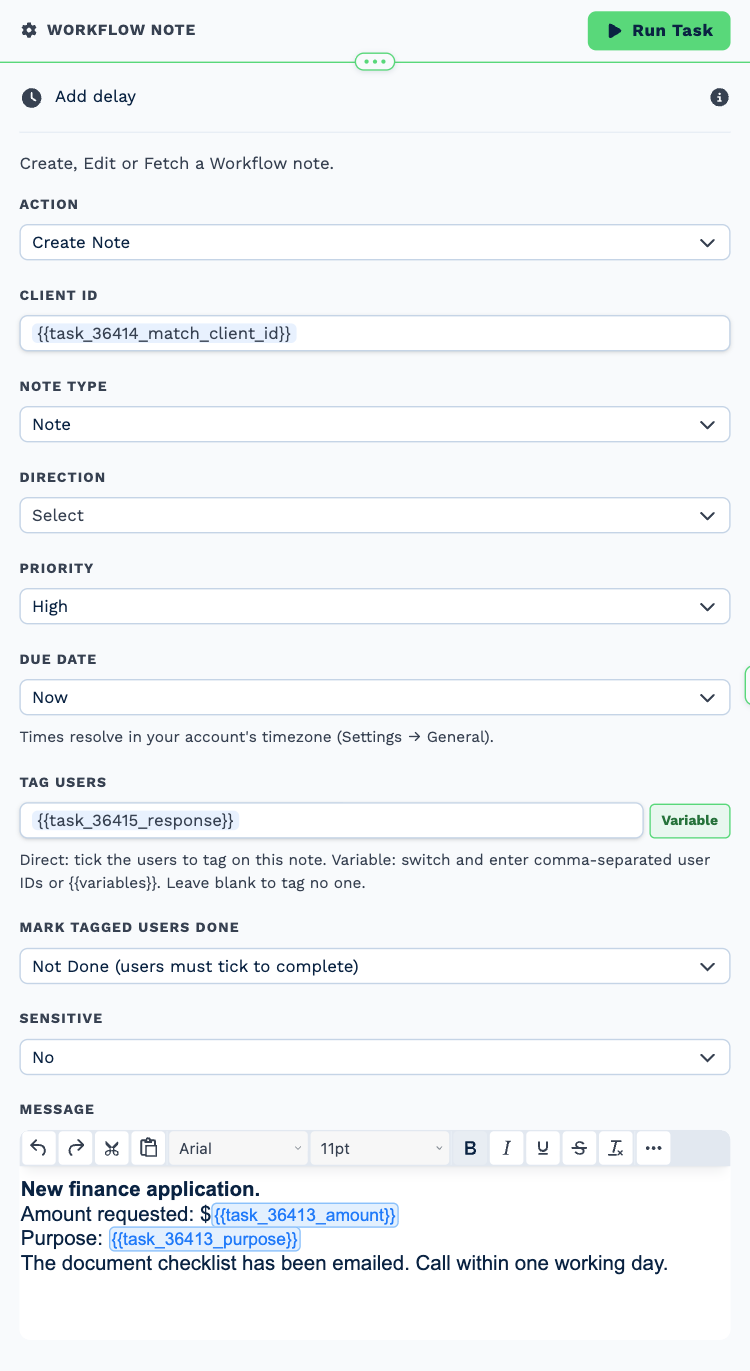
| Field | Set it to |
|---|---|
| Action | Create Note |
| Client ID | {{task_36414_match_client_id}} |
| Note Type | Note |
| Priority | High |
| Due Date | Now |
| Tag Users | {{task_36415_response}} |
Message
New finance application.
Amount requested: ${{task_36413_amount}}
Purpose: {{task_36413_purpose}}The document checklist has been emailed. Call within one working day.
Make it yours
- Put your own advisers in the Next adviser list.
- Add an If Statement on the requested amount to send large applications to a senior adviser.