Card reference
Every card you can add, in the groups the Add Report Card box uses. The Popular group at the top of that box
repeats six of these so they're quick to find.
Unless a card says otherwise, it counts what happened in the dashboard's
date range.
Clients
| Card |
What it shows |
| New clients |
How many new clients were added in the date range. |
| Client statuses (new clients) |
The current status of clients who were added in the date range. |
| Client status changes |
How many clients moved into each status during the date range. |
| Custom field changes |
How often each value of a client dropdown field was chosen in the date range. |
| Client list |
A list of your clients with the columns you choose. Ignores the date range. |
| Cohort report |
Groups clients by when they started and shows how many reached each later stage. |
| Time between changes |
How long clients take to get from one status, manager or field value to another. |
| Form submissions |
How many of your web forms were filled in over time. |
Sales & Accounting
These cards need View Invoices.
| Card |
What it shows |
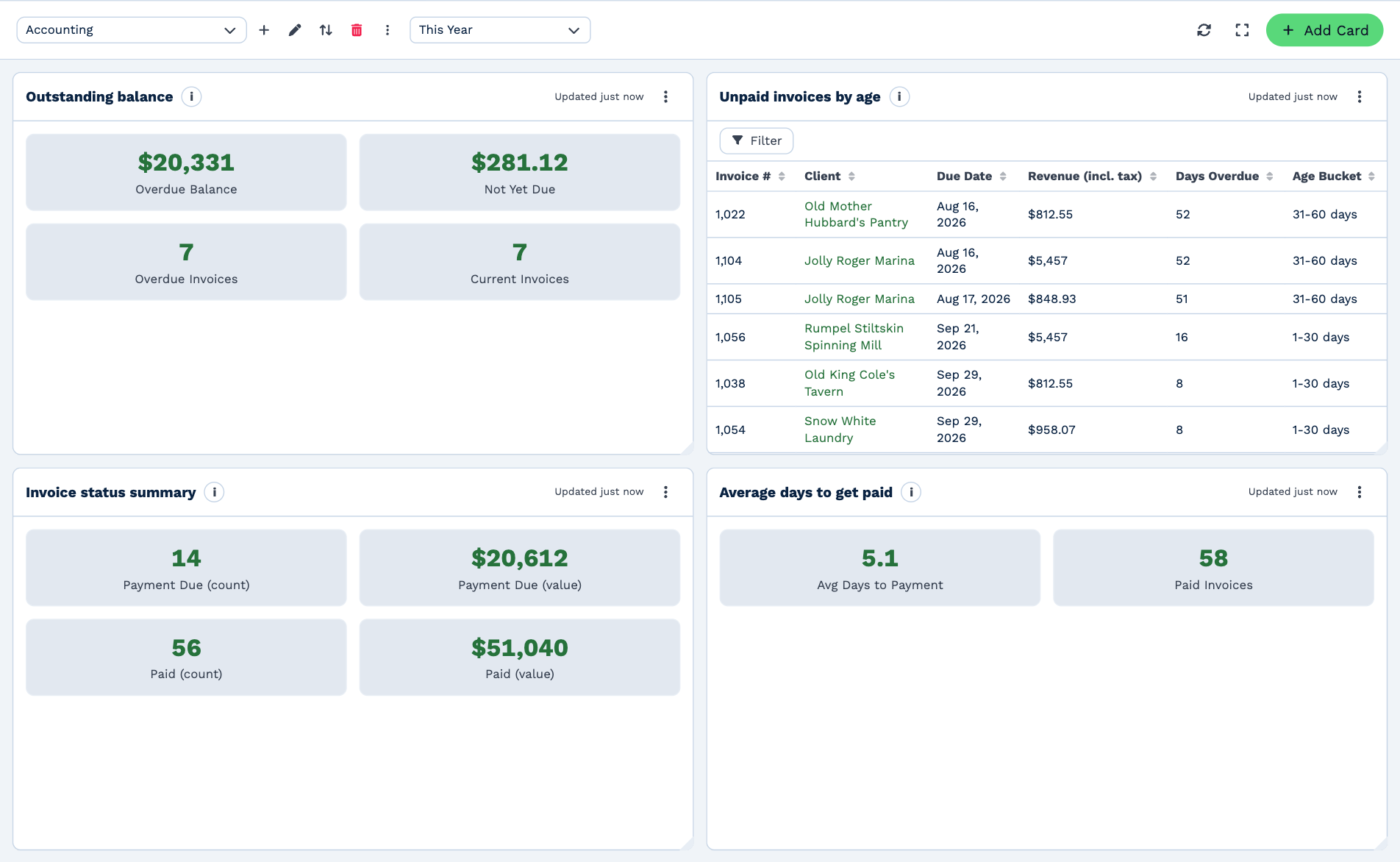
| Unpaid invoices by age |
Money owed to you, grouped by how many days the invoices are overdue. Uses today, not the date range. |
| Revenue by period |
Your invoiced or paid revenue for each week, month or year. |
| Invoice status summary |
How many invoices are paid, unpaid or overdue. |
| Sales by client |
Which clients you invoiced the most in the date range. |
| Sales by product or service |
Which products and services brought in the most revenue. |
| Tax collected |
How much sales tax you collected in each period. |
| Quote performance |
How many quotes were sent and how many turned into invoices. |
| Average days to get paid |
How long clients take, on average, to pay an invoice. |
| Outstanding balance |
How much your clients still owe you. Uses today, not the date range. |
| Sales or quotes by team member |
The value of invoices or quotes for each team member or client manager. |
| Quotes and invoices list |
A list of your quotes and invoices you can filter and open. |
| Payments received |
How much money came in from paid invoices over time. |
| Open quotes |
Quotes still waiting on an answer right now. Ignores the date range. |
Calls
| Card |
What it shows |
| Calls |
How many calls your team made and received. |
| Answered calls |
How many calls were answered compared with missed. |
| Calls by team member |
How many calls each person on your team handled. |
Email
| Card |
What it shows |
| Email performance |
Opens, clicks and conversions for your email campaigns and bulk sends. |
Messaging
| Card |
What it shows |
| Text messages |
How many text messages were sent and received over time. |
Team
| Card |
What it shows |
| Team activity |
Calls, emails, messages, forms, bookings and automations for each person on your team. |
| Calendar bookings |
How many meetings and appointments were booked. |
| Automation runs |
How often your automations ran, or how often they ran into a problem. |
Workflow notes
| Card |
What it shows |
| Open workflow notes |
Workflow notes that are still open right now. |
| Overdue workflow notes |
Workflow notes that are past their due date. |
| Workflow notes created |
How many workflow notes were created in the date range. |
| Workflow notes completed |
How many workflow notes were marked done in the date range. |
Custom tables
| Card |
What it shows |
| Table column changes |
How often each option of a table column was chosen in the date range. |
| Table rows |
Rows from one of your custom tables, as a list or a board. Ignores the date range. |
For exactly how the totals on a card are worked out, see Read the numbers.