The Accounting page
Who can do this
View Invoices to open the page. Each action needs its own right — see Who can do what.
Click Accounting in the sidebar. It lists every quote and invoice in the account, newest first.
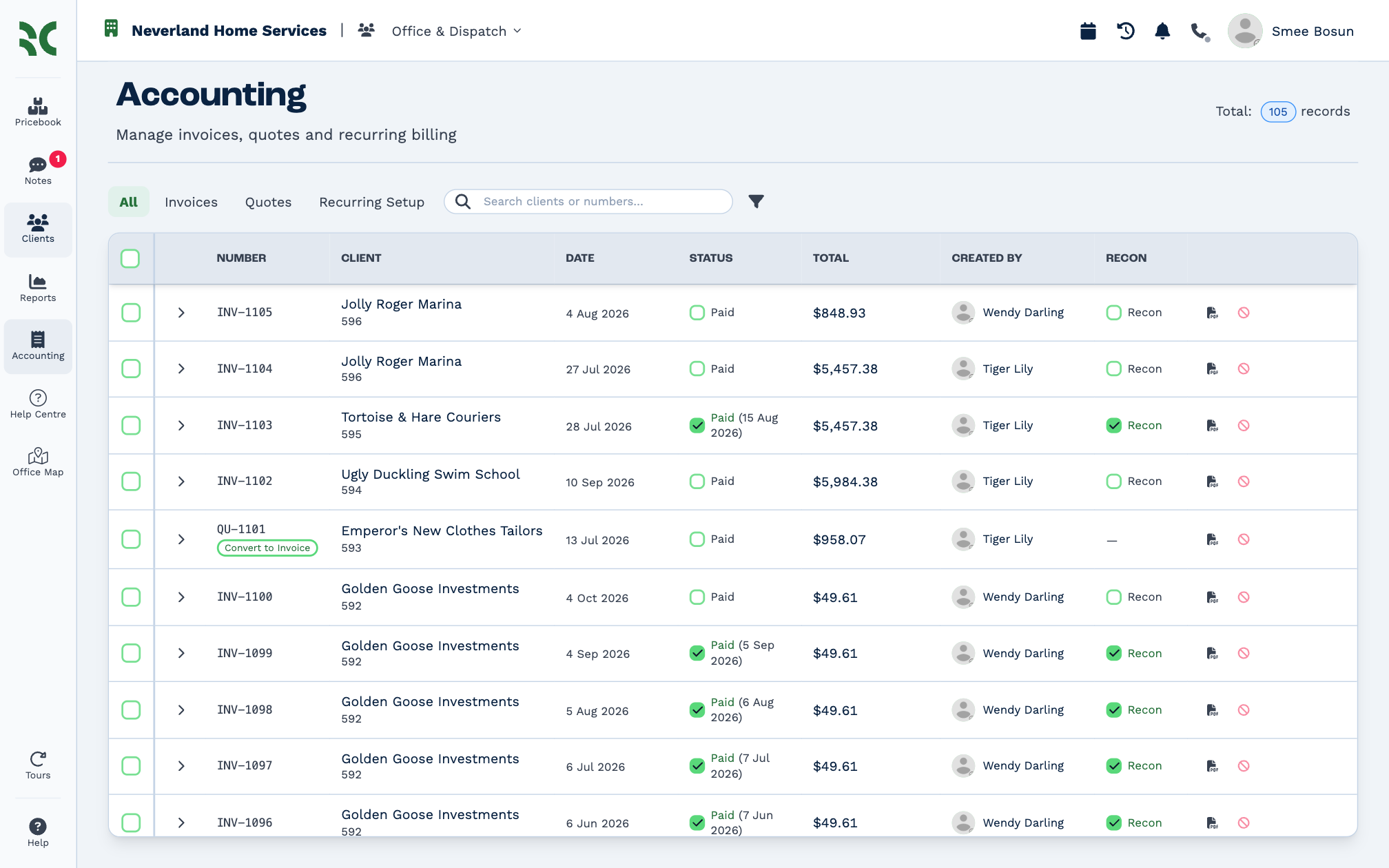
- All, Invoices and Quotes narrow the list; Recurring Setup shows recurring billing.
- Search clients or numbers… finds a client or a document number.
- Total at the top right counts what the list holds.
Click a row to open its client's panel. The two icons at the end of each row open the PDF and Void the document.
A document's lines
Click the arrow at the start of a row to see what's on it, without leaving the list.
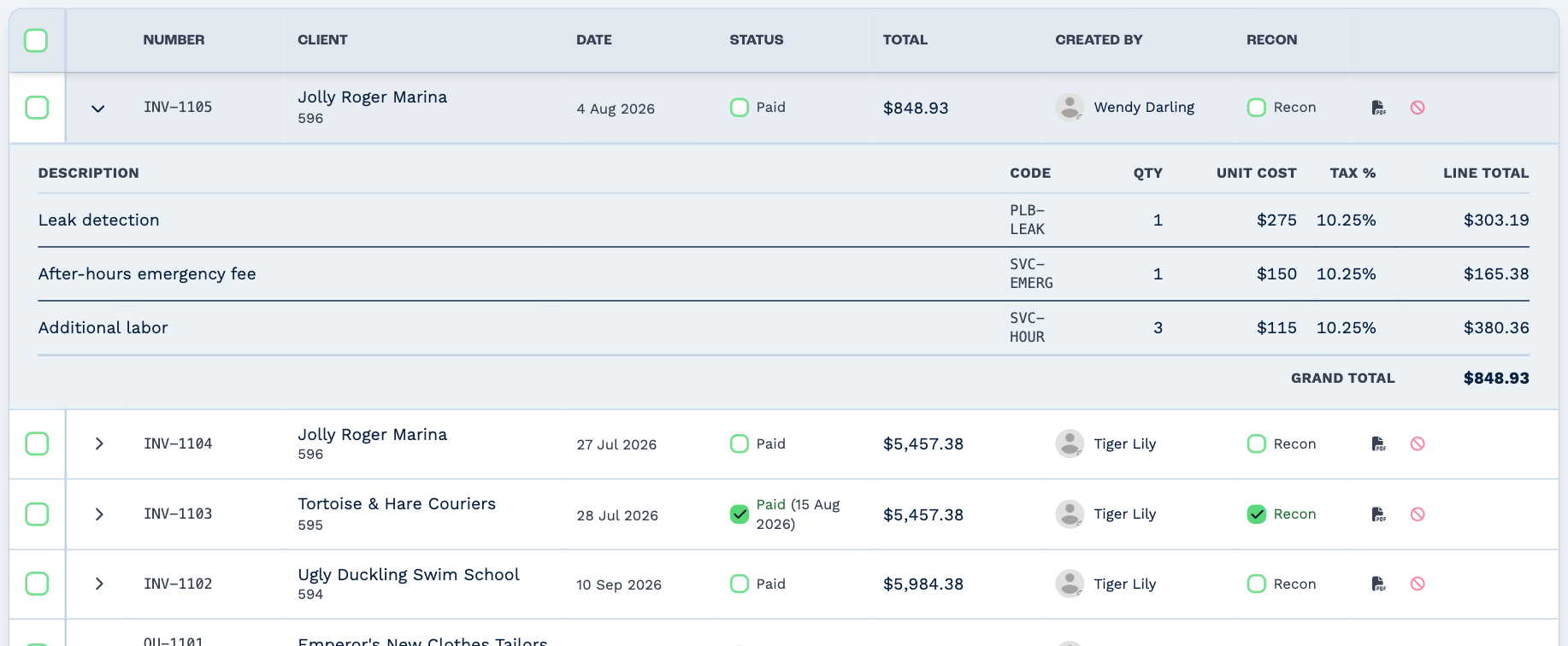
Columns
- Status
- Tick Paid to mark an invoice paid; BaseCloud asks for the date it was paid. The paid date shows next to the tick. A void document shows Void. See Payments.
- Recon
- Tick Recon once you've matched the payment in your bank. Invoices only.
- Convert to Invoice
- Under a quote's number. See Turn a quote into an invoice.
Filters
Click the filter icon.
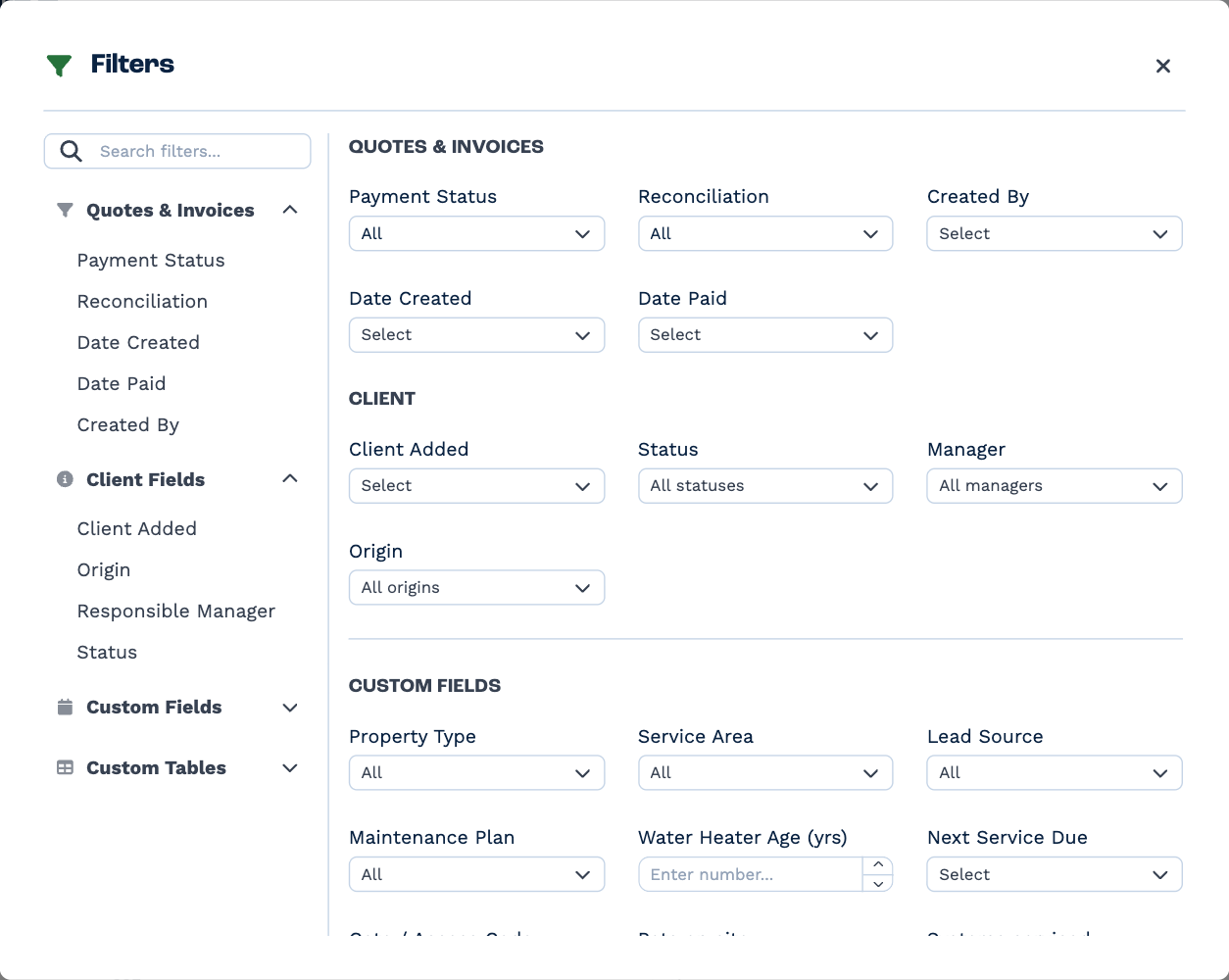
Filter on the documents — Payment Status, Reconciliation, Created By, Date Created, Date Paid — or on their clients, including your custom fields. Filters you set show as chips above the list, and stay set the next time you come back.
Many at once
Tick the boxes at the start of the rows — or the box in the header for everything the list holds — and a bar appears at the bottom.
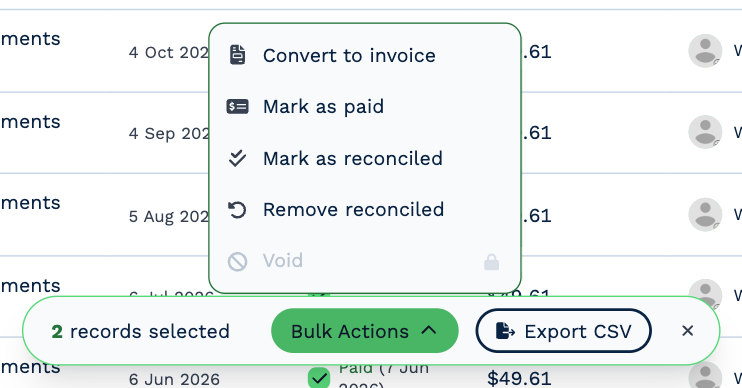
| Bulk action | What it does |
|---|---|
| Convert to invoice | Turns the selected quotes into invoices. Automations that react to it run, such as one that creates the invoice in Xero. |
| Mark as paid | Asks for one paid date and marks every unpaid invoice paid. Quotes and paid invoices are skipped. |
| Mark as reconciled | Marks paid invoices reconciled. Quotes and unpaid invoices are skipped. |
| Remove reconciled | Takes the reconciled mark off. |
| Void | Voids the selected documents. Type void to confirm. Paid invoices are skipped. |
A message says how many were changed and how many were skipped.
Export
Export CSV in the bar saves the selected documents — or everything the list holds, with the header box ticked — to a CSV file. It has each document's number, client, date created, amount, status, date paid and reconciliation. Exporting needs Export Invoices.