Open and share files
Who can do this
Anyone with Files Access who can see the client.
Preview a file
Click a file to open it beside the client.
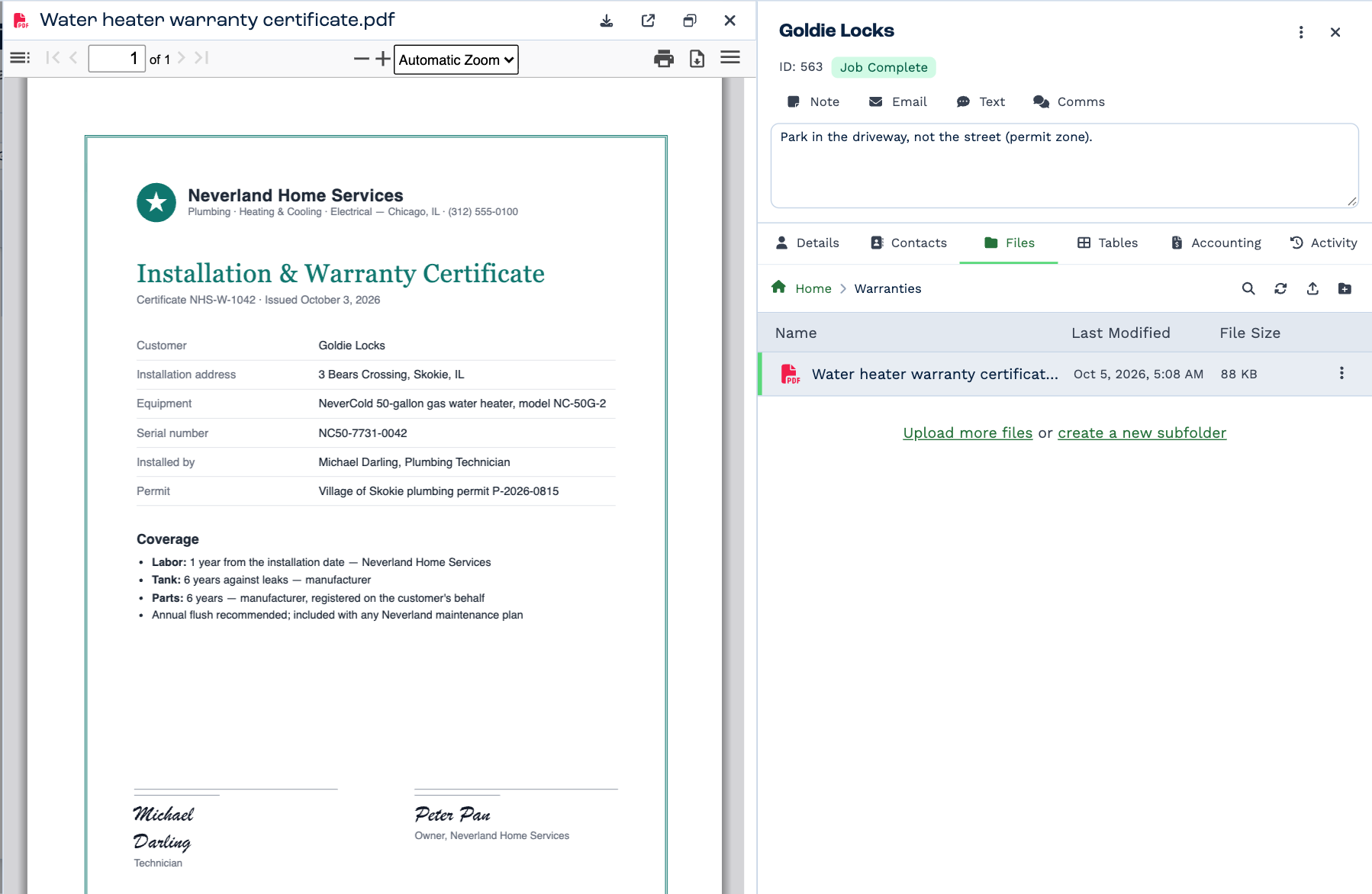
| These open in BaseCloud | With |
|---|---|
| PDFs | Paging, zoom, search and print |
| Pictures — JPG, PNG, GIF, WebP, SVG, BMP | Zoom in and out, and drag to move around |
| Word, Excel and PowerPoint files | A read-only view |
| Saved emails (.eml) | Who it's from and to, and Reply, Reply All and Forward |
| Markdown (.md) | Formatted text |
The buttons at the top of the preview download the file, open it in a new tab, or pop it out into its own window so you can keep it beside your work. Anything else — a video, a ZIP — offers Open in New Tab instead.
What you can do with a file
Click the ⋮ on a file's row, or right-click it.
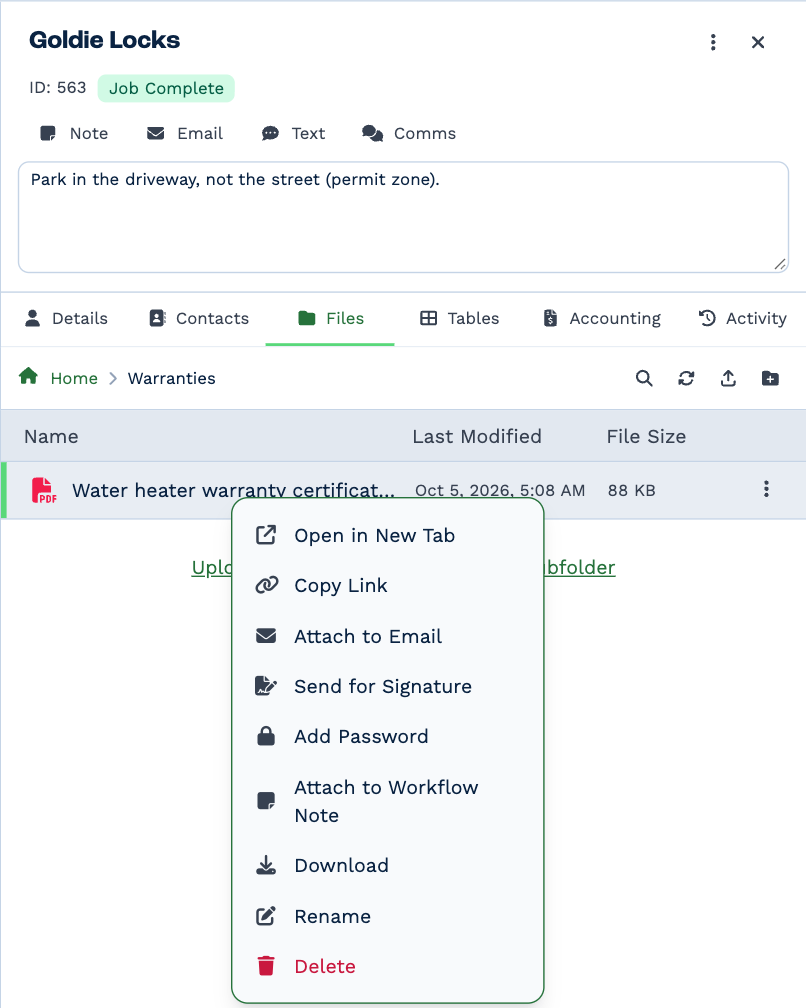
| Choice | What it does |
|---|---|
| Open in New Tab | Opens the file in your browser. |
| Copy Link | Copies a link to the file. See below. |
| Attach to Email | Starts an email to the client with the file attached. |
| Attach to Workflow Note | Starts a note on the client with the file attached. |
| Send for Signature | PDFs only. See Send for signature. |
| Add Password / Remove Password | PDFs only. See PDF tools. |
| Download | Saves it to your computer. |
| Rename | Changes its name. The ending (.pdf) stays as it is. |
| Delete | Deletes it for good. |
You can also drag a file from the list into an email or note you're writing.
Copy a link
Copy Link copies a web address that opens the file directly.
Anyone with the link can open the file
The link works without signing in to BaseCloud, and it doesn't expire. Send it only to people who should see the file, and for anything sensitive put a password on the PDF first or attach the file to an email instead.
Delete a file
Delete asks first, and can't be undone.
- A document that's out for signature can't be deleted. Void the request first.
- A signed copy can be deleted, but BaseCloud makes sure you mean it: you type
deleteto confirm. The record of who signed, and when, is kept.