Viewing follow-up
Feedback after a viewing is what sellers ask for and what tells an agent whether an offer is coming. Asking while the property is fresh in the buyer’s mind gets far better answers than asking a week later.

Before you start
- Viewings booked in the BaseCloud calendar, linked to the buyer, with "Viewing" in the title
The workflow
| Step | Task | Type | What it does |
|---|---|---|---|
| 1 | Viewing ended | Calendar Trigger | Starts two hours after a viewing ends |
| 2 | Ask feedback | Asks the buyer three short questions by email | |
| 3 | Update status | Edit a Client | Moves the buyer to the next stage |
| 4 | Wait a day | Delay | Waits until the next working day |
| 5 | Agent calls | Workflow Note | Reminds the agent who hosted the viewing to call |
About the variables
Values such as {{task_36432_…}} carry the number of the task they come from, so yours will
differ. Do not type them: click into a field and pick the value from an earlier task.
1. Viewing ended
Task: Calendar Trigger. Starts two hours after a viewing ends.
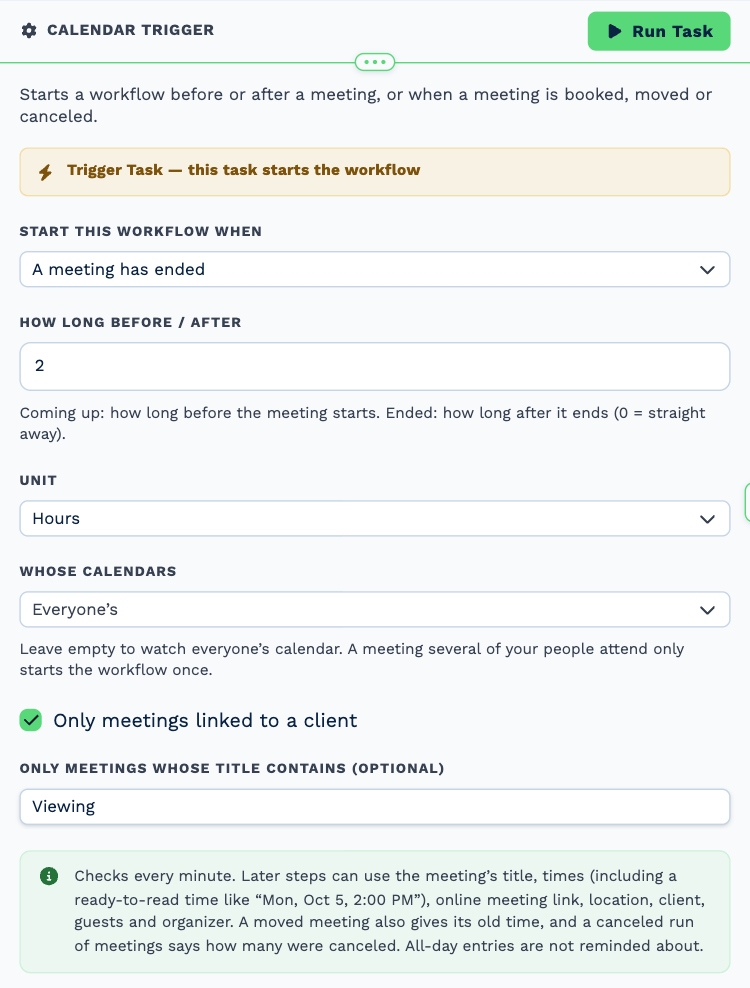
| Field | Set it to |
|---|---|
| Start this workflow when | A meeting has ended |
| How long before / after | 2 |
| Unit | Hours |
| Only meetings linked to a client | Ticked |
| Only meetings whose title contains (optional) | Viewing |
2. Ask feedback
Task: Email. Asks the buyer three short questions by email.
| Field | Set it to |
|---|---|
| Outgoing Email User | Wendy Darling |
| Client | {{task_36432_client_id}} |
| To | {{all_contacts}} |
| Subject | What did you think of the property? |
Body
Hi,
Thank you for viewing with us today. We would love to know what you thought:
- What did you like most?
- Was anything a deal-breaker?
- Would you like a second viewing?
Just reply to this email. If this one was not quite right, tell us why and we will line up better matches.
Kind regards,
Neverland Realty
3. Update status
Task: Edit a Client. Moves the buyer to the next stage.
| Field | Set it to |
|---|---|
| Client | {{task_36432_client_id}} |
| Client Status | Quoted |
The example uses the status Quoted. Choose your own status for a buyer who has viewed.
4. Wait a day
Task: Delay. Waits until the next working day.
| Field | Set it to |
|---|---|
| Delay Type | Specified Time |
| Days | 1 |
5. Agent calls
Task: Workflow Note. Reminds the agent who hosted the viewing to call.
| Field | Set it to |
|---|---|
| Action | Create Note |
| Client ID | {{task_36432_client_id}} |
| Note Type | Note |
| Priority | High |
| Due Date | Now |
| Tag Users | {{task_36432_owner_user_id}} |
Message
Viewing follow-up. The buyer was emailed for feedback yesterday. Call to hear it first-hand and ask about an offer.
Make it yours
- Change Only meetings whose title contains to match how your team names viewings.
- Send the seller a short update as well.